See all parts that fit your 1990 M3
Universal XM Satellite Radio Programmable Interface Adapter Tuner


 Product highlights
Universal XM Satellite Radio Programmable Interface Adapter • Allows conversion of your existing aftermarket head unit into an XM Radio receiver • Requires additional brand-specific connection cable
Learn more about the cnp2000uc
400W Peak (200W RMS) 5.25" KS Series 2 Way Component 4-ohm Speaker System
$249.99
List price $279.99

|
General Features:
What you will need:

|
(newest, current model)
|

|
(previous model, replaced by Audiovox SiriusXM CNP2000UCA)
|

|
(previous model, replaced by Audiovox SiriusXM CNP2000UC XM Direct 2 Connector Module)
|

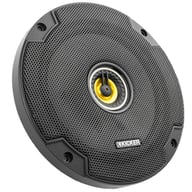
600W Peak (200W RMS) 6.5” CS Series 2 Way Coaxial 4-ohm Speakers
$79.96
List price $119.99

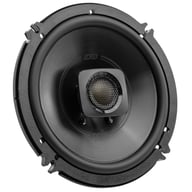
360W Peak (120W RMS) 6.5" Club Series 2-way Coaxial 3-ohm Speakers
$99.95
List price $139.95

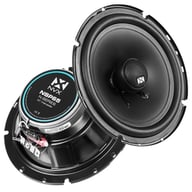
480W Peak (120W RMS) 6.5” DS Series 2-way 4-ohm Coaxial Car Speakers (DSC6504)
$84.99
List price $94.99

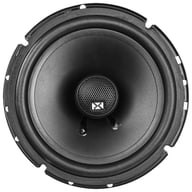
600W Peak (200W RMS) 6.5" DB+ Series 2 Way Coaxial 4-ohm Car, Marine and Powersports Speakers
$109.00
List price $119.99

600W Peak (300W RMS) 6.5" Mille PRO Series 3-way 4-ohm Component Speaker System
$999.99
List price $1175.00

250W Peak (200W RMS) 6.5″ PNW Series 2 Way Component 3-ohm Speakers
$319.00
List price $339.00

600W Peak (70W RMS) 6.5" XED Series 2-Way Coaxial 4-ohm Speakers
$49.99
List price $59.99

270W Peak (90W RMS) 5.25" Club Series 2 Way Coaxial 3-ohm Speakers
$74.99
List price $129.95

600W Peak (300W RMS) 6.5" PRO Series Full Range Coaxial 4-ohm Speakers
$189.99
List price $227.99
Best selling similar products

• Includes Hideaway Tuner and Magnetic Antenna
• Pause, Rewind, and Replay Up To 60 Minutes of Live Radio
• Alert Notification When Favorite Song, Team or Artist is Playing
(153)
$69.99
List price $89.99

• Designed to add SiriusXM to select 2003-2016 vehicles from Honda, Acura
• Supports Bluetooth wireless connectivity to compatible factory stereos
• Easy installation with a 3-wire power harness
• Requires SiriusXM SXV300V1 and subscription (Sold separately)
$84.99
List price $499.99

• Retains the Use of the OEM Satellite Antenna with an Aftermarket Satellite Radio Turner
• Plug and Play Installation
• Compatible with Vehicles using a FAKRA Style Antenna Connector
(1)
$15.99
List price $29.00

• Low-profile, XM Satellite Radio Antenna
• Small design for easy installation
• Shock and vibration proof
• Cable length: 23 ft.
(1)
$49.99
List price $45.99

Metra 40-SIRXM Antenna Adapter
• Adapts factory satellite antenna connector
• Located at factory radio location to an aftermarket style connector
• Length: 3 feet
• Universal application
$23.99
List price $33.99

• Flexible installation options: thru-hole or surface mount adapter
• Antenna with 6" pigtail and 25' antenna extension cable to allow for optimal placement
• Best antenna solution for non-metallic mounting applications, such as boats or RVs
$75.99
List price $99.99

iDataLink Maestro ACC-SAT-TO2 Antenna Adapter
• Satellite radio antenna adapter for select 2012-2025 vehicles from Toyota
• Plugs connect directly to factory connectors
• Includes 2 adapters to connect GPS to aftermarket stereos
• Includes 1 adapter for connecting Toyota satellite stereo antenna to aftermarket satellite stereo tuner
(2)
$29.99
List price $35.99

Metra 40-SIRXM-17 Antenna Adapter
• Adapts factory satellite antenna connector
• Located at factory radio location to an aftermarket style connector
• Length: 17 feet
• Universal application
(2)
$23.99
List price $43.99

Belva Universal Backup Barcam + SiriusXM SXV300v1
• SiriusXM Connect Next Gen Vehicle Tuner For Adding Satellite Radio to Any SiriusXM-Ready Car Stereo
• No Adapters Needed
• Pause, Rewind, and Replay Up To 30 Minutes of Live Satellite Radio
• iTune Tagging
• Compact Design
• Alert Notification When Favorite Song, Team or Artist is Playing
• Special Offer: Active a new radio and choose a plan for as low as $5 / month for 12 months, plus get a $60 service credit.
(192)
$109.98
List price $189.98
Manufacturer:
Model Number:
CNP2000UC
Weight:
0.50lbs
Internal SKU:
cnp2000uc
Internal Product ID:
11944

| 5 star |
|
33% |
| 4 star |
|
33% |
| 3 star |
|
0% |
| 2 star |
|
0% |
| 1 star |
|
33% |
| Durability | ||
| Value | ||
| Features | ||
| Design | ||
| Usability |
Works as promised and as advertised
I received the product as promised and after installing it got it to work exactly as advertised. Works great!
34 found this helpful
performs as it should
i like the upgradeable firmware option, but the entire setup is just a bit of a hassle. wires, boxes, etc, etc, etc. the product does what it says it will do but a cleaner, compact more user friendly version would be nice
22 found this helpful
Don't even think about it
I bought this interface with a Jensen VM9424BT head unit. Little did I know that this is ancient XM technology. My professional installer had no way to program this unit, so I have taken on the task. I have tried to access the drivers and the Audiovox servers are always down. My Jensen plays great radio but no XM. Had i known that the new XM tuners would not work with the head unit I would have never made the purchase. AVOID THE AUDIOVOX CNP2000 AT ALL COSTS!
22 found this helpful
Worked very well
Everything when in the way it was support too and have had no problems with it so far. I will say go to the Audiovox web site before doing anything because label on the unit tells you to connect the unit via USB first then go to web site which will not work, you need to download the driver before connecting the unit or things don't work right
21 found this helpful
consumer
Product continues to work according to its planned use.
The service received from your company has been exemplary, from my first contact with your operator to your customer service representative. Thank You!
20 found this helpful
XM module is very reliable
I enjoy having the extra features. XM is a nice addition. I made the mistake of ordering the bluetooth adapter to accompany the XM (JVC BLUETOOTH ADAPTER KS-BTA200 KSBTA200 B). The XM module is very reliable and works wonderfully. Because I'm not an "install guru" I'm not able to talk about the installation.
20 found this helpful
Good Deal and item
I have enjoyed this product, connection was easy, just read and or play the disk for installation.
20 found this helpful
Hard to Install
I hired a professional installer to install my Jensen VM9424 in a 2009 Jeep Wrangler. That part went great. He wouldn't even attempt to program the Audiovox CNP2000UC XM Program Interface Adapter. He says last time he tried it took him 6 hours. I said, OK, I can do it. Can't be that hard. I've followed Audiovox' on line instructions, tried installing the driver on 32 bit and 64 bit PC's running Windows 7. I've been at it about 5 hours now, and nothing works. I'm no dummy on computers. This device is junk. If I can get it working, I'll re-review. If this is the only sat radio interface your new radio is compatible with, buy something else.
17 found this helpful
Worthless
The idea behind this device is sound. It's programmable to run a number of different head units XM capabilities, creating an all-in-one tuner. It's a nice idea.
The problem comes with programming. You MUST have a Windows PC running XP Pro that can also produce enough power to turn this thing on with USB 2.0. The tech I talked to at Audiovox said that most laptops won't do it, and despite that their packaging says XP Pro or newer, it actually only supports XP Pro, not Vista or Win7.
I finally got frustrated and am in the process of sending this product and the Sony head unit I bought with it back to Sonic Electronix (which is a shame, because I hear wonderful things about the head unit). So far Sonic has been awesome in my return process and I can't speak highly enough of their customer service. Unfortunately the same can't be said about this tuner. Don't waste your time, get a tuner that's pre-programmed for your head unit.
18 found this helpful

Five Piece Installer's Panel Removal Tool Kit
Helps with removing dash and trim panels during installation.
(73)
$11.99
List price $18.99

Professional DJ Mixer w/ Built in Serato Scratch Live Controls & 2 USB ports
$2599.00
List price $3299.99
Cancel


Modern vehicles often require specific brackets, wiring harnesses, and mounting solutions. A fit guide ensures:
Whether you're replacing a factory stereo or upgrading your entire audio system, the Fit Finder eliminates uncertainty.