See all parts that fit your 1979 Bobcat
Double DIN In-Dash 6.5" LCD Touchscreen Monitor and Multimedia DVD, DivX, CD, MP3 Receiver, iPod Cable Included, Built-in Bluetooth Hands-free Technology and Remote


In-dash AM/FM, CD, DVD, MP3, WMA, AAC player with Remote • 6.5" TFT-LCD Widescreen display • 60W x 4 chan. Max • 18W x 4 chan. RMS • Dolby Digital and Pro-Logic II/5.1 with Time Delay • 5.1 Audio outputs • 2 RCA A/V Inputs
Learn more about the vm9022

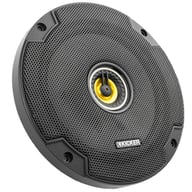
600W Peak (200W RMS) 6.5” CS Series 2 Way Coaxial 4-ohm Speakers
$79.96
List price $119.99

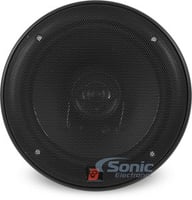
360W Peak (120W RMS) 6.5" Club Series 2-way Coaxial 3-ohm Speakers
$99.95
List price $139.95

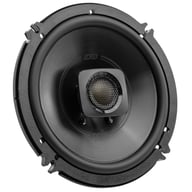
480W Peak (120W RMS) 6.5” DS Series 2-way 4-ohm Coaxial Car Speakers (DSC6504)
$84.99
List price $94.99

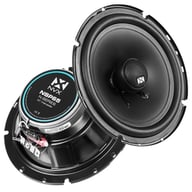
600W Peak (70W RMS) 6.5" XED Series 2-Way Coaxial 4-ohm Speakers
$49.99
List price $59.99

600W Peak (200W RMS) 6.5" DB+ Series 2 Way Coaxial 4-ohm Car, Marine and Powersports Speakers
$109.00
List price $119.99

600W Peak (300W RMS) 6.5" Mille PRO Series 3-way 4-ohm Component Speaker System
$999.99
List price $1175.00

250W Peak (200W RMS) 6.5″ PNW Series 2 Way Component 3-ohm Speakers
$319.00
List price $339.00

440W Peak (80W RMS) 6.5" SXE Series 2-way 4-ohm Coaxial Car Speakers
$42.99
List price $54.99

Infinity Reference REF6532IXAM
360W Peak (120W RMS) 6.5" Reference Series 2 Way Coaxial 3-ohm Speakers
$119.95
List price $149.95
In-dash AM/FM, CD, DVD, MP3, WMA, AAC player with Remote • 6.5" TFT-LCD Widescreen display • 60W x 4 chan. Max • 18W x 4 chan. RMS • Dolby Digital and Pro-Logic II/5.1 with Time Delay • 5.1 Audio outputs • 2 RCA A/V Inputs
General Features:
Playback and Audio Features:
Expandability Options:
Key Features:

|
(newest, current model)
|

|
(previous model, replaced by Jensen VM9026)
|

|
(previous model, replaced by Jensen VM9726BT)
|

|
(previous model, replaced by Jensen VM9725BT)
|

|
(previous model, replaced by Jensen VM9424BT)
|

|
(previous model, replaced by Jensen VM9424)
|

|
(previous model, replaced by Jensen VM9423)
|

|
(previous model, replaced by Jensen VM9022HD)
|

|
(previous model, replaced by Jensen VM9022)
|

|
(previous model, replaced by Jensen VM-9021TS / VM9021TS)
|
Best selling similar products

• Double DIN Bluetooth Digital Multimedia Receiver
• 6.8" WVGA Display
• Apple CarPlay and Android Auto Compatible
• 3 sets of 2 volts preamp outputs
• 13-Band Customizable Graphic Equalizer
• SiriusXM Satellite Radio Ready
• Easy to use graphic user interface
(3)
$339.99
List price $420.00

Kenwood eXcelon DAX800XR Direct Fit Digital Receiver Package
• Direct OEM Replacement Bluetooth Digital Multimedia Receiver for
• 8" Capacitive Touchscreen Display
• Wireless Apple CarPlay and Android Auto Compatible
• 3 sets of 5 volts preamp outputs
• 13-Band Graphic EQ
• SiriusXM Satellite Radio Ready
• iDatalink Maestro Compatible
• Built-in Bluetooth, HD Radio, and Wi-Fi
• 4 Camera Inputs Function
(40)
$1383.97
List price $2029.97

• Direct OEM Replacement Bluetooth Digital Multimedia Receiver for select 2011-2022 vehicles from GMC, Chevrolet, Nissan
• 8" Capacitive Touchscreen Display
• Wireless Apple CarPlay and Android Auto Compatible
• 3 sets of 5 volts preamp outputs
• 13-Band Graphic EQ
• SiriusXM Satellite Radio Ready
• iDatalink Maestro Compatible
• Built-in Bluetooth, HD Radio, and Wi-Fi
• 4 Camera Inputs Function
(1)
$999.00
List price $1500.00
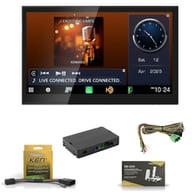
Kenwood eXcelon DAX800XR Direct Fit Digital Receiver Package
• Direct OEM Replacement Bluetooth Digital Multimedia Receiver for
• 8" Capacitive Touchscreen Display
• Wireless Apple CarPlay and Android Auto Compatible
• 3 sets of 5 volts preamp outputs
• 13-Band Graphic EQ
• SiriusXM Satellite Radio Ready
• iDatalink Maestro Compatible
• Built-in Bluetooth, HD Radio, and Wi-Fi
• 4 Camera Inputs Function
(39)
$1456.96
List price $2074.96

JVC KW-Z1000AW Direct-Fit Digital Receiver Package
• Bluetooth Digital Multimedia Receiver for select Ford vehicles
• 10.1" Capacitive Touchscreen Display
• Wireless Apple CarPlay and Android Auto Compatible
• 3 sets of 4 volts preamp outputs
• 13-Band Graphic EQ
• SiriusXM Satellite Radio Ready
• iDatalink Maestro Compatible
• Built-in Bluetooth, HD Radio, and Wi-Fi
• 4 Camera Inputs Function
(38)
$1883.96
List price $2282.96

Kenwood eXcelon DAX800XR Direct Fit Digital Receiver Package
• Direct OEM Replacement Bluetooth Digital Multimedia Receiver for
• 8" Capacitive Touchscreen Display
• Wireless Apple CarPlay and Android Auto Compatible
• 3 sets of 5 volts preamp outputs
• 13-Band Graphic EQ
• SiriusXM Satellite Radio Ready
• iDatalink Maestro Compatible
• Built-in Bluetooth, HD Radio, and Wi-Fi
• 4 Camera Inputs Function
(39)
$1605.96
List price $2254.96

Kenwood eXcelon DAX1050XR Direct Fit Digital Receiver Package
• Direct OEM Replacement Bluetooth Digital Multimedia Receiver for
• 10.1" Capacitive Touchscreen Display
• Wireless Apple CarPlay and Android Auto Compatible
• 3 sets of 4 volts preamp outputs
• 13-Band Graphic EQ
• SiriusXM Satellite Radio Ready
• iDatalink Maestro Compatible
• Built-in Bluetooth, HD Radio, and Wi-Fi
• 4 Camera Inputs Function
(38)
$1883.97
List price $2479.97

Stinger HEIGH10 - RB10TUN14 for 2014-2021 Tundra
• 10.1" Single DIN and Double DIN In-Dash Digital Multimedia Receiver
• Compatible with select 2014-2025 Tundra and Tundra i-Force Max
• 10.1" Capacitive Touchscreen Display
• Apple CarPlay and Android Auto Compatible
• iGo Navigation System-ready (Optional)
• 3 sets of 4 volts preamp outputs
• 15 Band Graphic Equalizer
• SiriusXM Satellite Radio Ready
• Wireless streaming audio with aptX for better sound quality
$999.00
List price $999.00
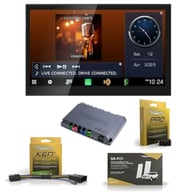
Kenwood eXcelon DAX800XR Direct Fit Digital Receiver Package
• Direct OEM Replacement Bluetooth Digital Multimedia Receiver for
• 8" Capacitive Touchscreen Display
• Wireless Apple CarPlay and Android Auto Compatible
• 3 sets of 5 volts preamp outputs
• 13-Band Graphic EQ
• SiriusXM Satellite Radio Ready
• iDatalink Maestro Compatible
• Built-in Bluetooth, HD Radio, and Wi-Fi
• 4 Camera Inputs Function
(9)
$1473.96
List price $2143.96

Kenwood eXcelon DAX800XR Direct Fit Digital Receiver Package
• Direct OEM Replacement Bluetooth Digital Multimedia Receiver for
• 8" Capacitive Touchscreen Display
• Wireless Apple CarPlay and Android Auto Compatible
• 3 sets of 5 volts preamp outputs
• 13-Band Graphic EQ
• SiriusXM Satellite Radio Ready
• iDatalink Maestro Compatible
• Built-in Bluetooth, HD Radio, and Wi-Fi
• 4 Camera Inputs Function
(39)
$1348.96
List price $1973.96
Manufacturer:
Model Number:
VM9022
Weight:
12.00lbs
Internal SKU:
vm9022
Internal Product ID:
9834

| 5 star |
|
67% |
| 4 star |
|
19% |
| 3 star |
|
5% |
| 2 star |
|
5% |
| 1 star |
|
5% |
| Durability | ||
| Value | ||
| Features | ||
| Design | ||
| Usability |
Great buy
this thing can do just about anything that screens twice its price can do. The picture is very clear and crisp. The ipod cable is fast and convenient. I usually go with more expensive brands like alpine or eclipse but this is definitely the best unit you can get in a huge price range.
22 found this helpful
I HATE the VM9022...
I really don't understand all the positive reviews on this unit. I've had one for a year now, and it's crap. It's very apparent to me that these folks simply don't know what they're doing. I recently got the firmware upgrade from Jensen, and even that process was not well thought-out, although it did fix some of this units factory bugs and irritating problems.
First, the DVD player in this unit won't play half the discs you put in it. Brand new, out of the package discs, as well as discs you've run through a disc polisher to remove scratches. It won't play discs that have been burned and finalized on my DVD recorder at home. You can have a disc that is perfect, and if it plays, you could have blocking and dropouts occur at any time.
The screen is too dim in bright sunlight, even though I built an ABS plastic screen hood for it, and at night, the dimmer doesn't work, so it's too bright.
If you use the bluetooth function and a call comes in, it switches to the bluetooth screen and kills the audio entirely, instead of just reducing the volume to a reasonable level. Then, when your call is over, it does not automatically switch back to your original source, you have to do that manually. Also, the bluetooth doesn't download your phonebook contacts from your cellphone, unless you have only certain phones.
The iPod functionality is good, but the button interface design should mirror the iPod, instead of the crummy design they use throughout this unit's menu screens.
Using the PIP function to monitor other sources is clunky at best. To switch from one source to another, you have to pull up a menu screen and make another selection. I don't know why they can't simply give you a rotary knob you can quickly spin to switch sources, it would be faster and more direct.
The remote is crap too. Lots of small, cryptic buttons that are like mystery-meat navigation. You can't remember what many of these buttons do until you push one, and often, you wish you hadn't, as you try to get the unit back where it was before.
By far, the WORST function of this unit is if you add the NAV101 GPS unit. This GPS is very poorly designed, and you will HATE trying to listen to music or a movie while this thing constantly cuts the audio out completely, rattling off it's robotic, often mis-pronounced directions to you. They really should lower the music volume and let the voice talk over it, but they kill it completely. The street names are too small and don't appear where you need them to be, and if you zoom out to get an overall view, there are no city or highway names visible at all, so unless you zoom to the right place, you don't know one road from another. And, in many areas, this thing tells you you cant get there from here, even though you clearly can by following the road signs. It can display the roads, but for some reason, it can't navigate them. Try traveling on the Florida Turnpike south of Orlando, and see if you can navigate to a nearby location like Yeehaw Junction...nope, it says you can't get there from here, even though the turnpike takes you directly there. This is truly the most aggravating GPS experience I've ever had.
Forget about decent customer service from Jensen, too. Their website is like their products, poorly designed and half-baked. Many times, you can e-mail their CS with a problem, and they tell you you need to call and take it up with one of their advisers. Do that, and you might likely be told there's no fix for your specific problem, and then you later find out that they've addressed the problem in a firmware update. They know this thing's got bugs, but they certainly won't tell you about them.
Last, let's talk about bypassing the brake wire for DVD playback while driving. I spent $2 on Ebay and got the directions to get into the technician menu and disable this ridiculous function. If you're like me, and travel with kids who like to either watch movies or fight and fuss with each other, you MUST be able to navigate DVD menus while driving. You simply cannot stop the car on a 70mph highway every time you need to interact with the DVD menus, it just does not work. You have to be responsible and pay attention to your driving, of course, but bypassing the brake wire by turning off the function is a must for practicality. That function is only there to keep Jensen's lawyers and risk managers happy.
13 found this helpful
Awesome
The unit is great, not too flashy but has tons of features. My only complaint with it is that with the ipod dock, it sometimes locks up, other than that the video feature works great, good clear picture, and well worth it for the price. I did have some issues with the password on start up but Jensen held their word and it was fixed in a couple days.
12 found this helpful
JENSEN IN DASH UNIT
HANDS DOWN THE BEST INDASH UNIT OUT RIGHT NOW
VERY CHEAP AND THE BEST INDASH I HAVE EVER HAD
OTHER UNITS LIKE THIS GO FOR THOUSANDS
HAVE HAD VM9022 AND A VM9412 AND I HAVE NEVER HAD ANY PROBLEMS WITH EITHER
BEST VALUE FOR THE MONEY
A+++++
MANY FEATURES
11 found this helpful
The best unit
This is a very great product. out of all of the head units i have owned this is one of the best. the hands free blue tooth sound clear and no complaints of road noise or static on the other end. and the on screen caller id is a really nice feature. the user ability with an Ipod is awesome it hooked up in a mater of seconds. unlike them cheap touch screens this one has just a about perfect sensativity and its so easy to use and navigate. on most digital cameras you can take out the SD stick and put the pics right onto the head unit.The USB working good i have a 80GB hard drive in my car and i can lisen music or watch videos.
12 found this helpful
Awesome head unit
this thing rocks with all the accesseriories this unit is the best out there for the price .
10 found this helpful
jensen
i loved it it was probably one of my favorites its a good deal.
11 found this helpful
in dash dvd...good ipod mode......bad
I would recommend these product if your looking mainly for a in dash dvd player. Other then that if its for the ipod feature don't waste your money on it the ipod mode take awhile to load and skipping tracks takes like 7 secs which is annoying when going through multiple songs.
11 found this helpful
Great
This product is a great buy. the price is good, and compared to higher priced dvd players this is really the only one i recommend to any one.
11 found this helpful
Great Radio!!!
This was my first Double Din Install and it was a easy in my G35. Sonic Provided everything I needed from the install kit to the harness and antenna extension.
Radio is great. It enhanced the sound and quality of the stock speakers nicely with the 4 volt pre-amp and decent RMS power. Picture quality is great. The bluetooth hooked up to my iphone easily and I was making and receiving nice and clear calls quickly. Using the ipod via the J-Link and the included cables was easy and quickly recognized by the radio. I got the XM Sat with it and love it. It's so much easier then finding a place to put my external tuner. Wife stopped complaining about the wires everywhere :) Happy Wife, Happy Life!!!
Overall I was skiddish because of the price being so low but after having it and installing it myself. It does everything the higher priced radios do without needing all kinds of crazy extra pieces. I didn't get the navi yet..maybe down the road. All I can say is GET IT! GET IT! GET IT!!!
11 found this helpful

Great Connection Kit for Stereo to Car Wire Harness with Zip Ties and Butt Connectors
(27)
$9.95
List price $9.95

158 Piece Terminal Connector Kit with Crimping Tool Included
(2)
$14.99
List price $29.99

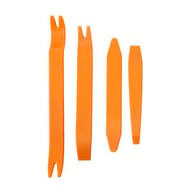
Belva BTK112 Trim Panel Remover
12-Piece Installer's Master Panel Removal Tool Kit
(19)
$8.99
List price $24.99

Belva BTK105 Trim Panel Remover
Five Piece Professional-Grade Installer Panel Removal Tool Kit for Car Stereo/Speakers
(73)
$11.99
List price $18.99

Belva BTK106 Trim Panel Remover
Six Piece Professional-Grade Installer Panel Removal Tool Kit for Car Stereo/Speakers
(46)
$14.99
List price $19.99

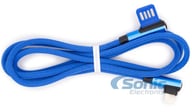
Blue Right Angle 1 Meter (3.28 ft) Lightning to USB-A Cable for Apple iPhone
(1)
$3.99
List price $12.99

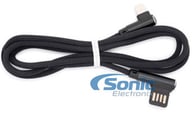
Black Right Angle 1 Meter (3.28 ft) Lightning to USB-A Cable for Apple iPhone
(2)
$3.99
List price $14.98

3.3ft (1 meter) USB Type A to USB Type C Cable Special Magnetic Cord Management
(4)
$7.99
List price $19.99

Alpine iLX-W670-M Factory Radio Upgrade Kit for 2010-2014 Ford Mustang
6.75" DDIN Touchscreen with Apple CarPlay and Android Auto, Maestro Interface, Dash Kit, Harness and Backup Camera
(96)
$766.36
List price $1229.97

NVX NE101P w/ Rockford Fosgate Punch P1 P1S2-10
Single 10" Slot Ported 3/4" MDF Black Carpeted Subwoofer Enclosure – 1.5 Cu. Ft. with Polyfil and NVX Logo w/ 10" Punch Series Single 2-ohm Car Subwoofer
(9)
$194.98
List price $221.98

NVX Complete N-Series Speaker Upgrade Kit for 2005-2009 Nissan Altima
2 Pairs of 6.5" NVX N-Series Speaker Upgrade Kit with Metra Harnesses | Fits select 2005-2009 Altima
(98)
$149.12
List price $301.94

2 Pairs Kicker 6.5" Speakers (KSC65) + NVX Amplifier (NDA6004)
400W Peak 6.5" KS Series Coaxial Speakers, NVX 1200W Peak 4-Channel Amp, 8 Gauge OFC Wiring Kit, and Foam Can Insulator Koozie
(60)
$420.00
List price $633.94
Cancel


Modern vehicles often require specific brackets, wiring harnesses, and mounting solutions. A fit guide ensures:
Whether you're replacing a factory stereo or upgrading your entire audio system, the Fit Finder eliminates uncertainty.