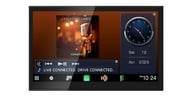
In-Dash 7" Touchscreen TFT-LCD Monitor with DVD, Multimedia CD/MP3 Playback


In-dash 7" TFT-LCD touchscreen motorized monitor with DVD player • plays DVD, DVD-R/RW, DVD+R/RW, CD, CD-R/RW, MP3s, and WMA on disc • motorized, retractable 7" LCD video monitor
Learn more about the xdvd8181In-dash 7" TFT-LCD touchscreen motorized monitor with DVD player • plays DVD, DVD-R/RW, DVD+R/RW, CD, CD-R/RW, MP3s, and WMA on disc • motorized, retractable 7" LCD video monitor
General Features:
Playback and Audio Features:
Expandability Options:

|
(newest, current model)
|

|
(previous model, replaced by Dual XDVD8181)
|

|
(previous model, replaced by Dual XDVD8180)
|
This item is currently not eligible for our low price guarantee. This may be due to supply constraints, manufacturer restrictions, or another reason. We're always here to help you get the best price possible so give us a call or email today. Our experts will do their best to build the system that works for you within the rules.
Best selling similar products

Jensen JDASH7 / JDASH7CP Universal CarPlay (JC7DM)
• Used to send audio to your existing car stereo through the 3.5mm aux output
• Wireless Apple Carplay and Android Compatible
• No Installation Required
• USB with 2.1A Charge
• Suction Cup for Dash or Windshield Mounting
(3)
$149.99
List price $219.99

• Double DIN Bluetooth Digital Multimedia Receiver
• 6.75" Capacitive Touchscreen Display
• Apple CarPlay and Android Auto Compatible
• 3 sets of 4 volts preamp outputs
• 10-band Digital Equalizer
• Includes backup camera
(5)
$329.99
List price $329.99

• Portable Dash Mount Stereo with Bluetooth
• 10.26" Smart LCD touchscreen
• Wireless Apple CarPlay, Android Auto, Airplay/Android Cast
• Comes with customizable 5-preset equalizer
• Suitable for car, truck, RVs, trailers, EVs
• Supports AUX output, AV/IN, USB and USB Type-C inputs
• Also includes TF card slot for SD card (SD card not included)
(5)
$59.99
List price $131.99

Kenwood eXcelon DAX800XR Direct Fit Digital Receiver Package
• Direct OEM Replacement Bluetooth Digital Multimedia Receiver for
• 8" Capacitive Touchscreen Display
• Wireless Apple CarPlay and Android Auto Compatible
• 3 sets of 5 volts preamp outputs
• 13-Band Graphic EQ
• SiriusXM Satellite Radio Ready
• iDatalink Maestro Compatible
• Built-in Bluetooth, HD Radio, and Wi-Fi
• 4 Camera Inputs Function
(39)
$1383.97
List price $2029.97

JVC KW-Z1000AW Direct-Fit Digital Receiver Package
• Bluetooth Digital Multimedia Receiver for select Ford vehicles
• 10.1" Capacitive Touchscreen Display
• Wireless Apple CarPlay and Android Auto Compatible
• 3 sets of 4 volts preamp outputs
• 13-Band Graphic EQ
• SiriusXM Satellite Radio Ready
• iDatalink Maestro Compatible
• Built-in Bluetooth, HD Radio, and Wi-Fi
• 4 Camera Inputs Function
(37)
$1883.96
List price $2282.96

• Direct OEM Replacement Bluetooth Digital Multimedia Receiver for select 2011-2022 vehicles from GMC, Chevrolet, Nissan
• 8" Capacitive Touchscreen Display
• Wireless Apple CarPlay and Android Auto Compatible
• 3 sets of 5 volts preamp outputs
• 13-Band Graphic EQ
• SiriusXM Satellite Radio Ready
• iDatalink Maestro Compatible
• Built-in Bluetooth, HD Radio, and Wi-Fi
• 4 Camera Inputs Function
(1)
$999.00
List price $1500.00

JVC KW-Z1000AW Direct Fit Digital Receiver Package
• Direct OEM Replacement Bluetooth Digital Multimedia Receiver for select 2011-2023 vehicles from Ford
• 10.1" Capacitive Touchscreen Display
• Supports wireless Apple CarPlay and wireless Android Auto
• 3 sets of 4 volts preamp outputs
• 13-Band Graphic EQ
• SiriusXM and iDataLink Ready
(7)
$1601.82
List price $2348.97

Kenwood eXcelon DAX1050XR Direct Fit Digital Receiver Package
• Direct OEM Replacement Bluetooth Digital Multimedia Receiver for
• 10.1" Capacitive Touchscreen Display
• Wireless Apple CarPlay and Android Auto Compatible
• 3 sets of 4 volts preamp outputs
• 13-Band Graphic EQ
• SiriusXM Satellite Radio Ready
• iDatalink Maestro Compatible
• Built-in Bluetooth, HD Radio, and Wi-Fi
• 4 Camera Inputs Function
(37)
$1883.97
List price $2479.97

• Double DIN Bluetooth Digital Multimedia Receiver
• 6.8" WVGA Display
• Apple CarPlay and Android Auto Compatible
• 3 sets of 2 volts preamp outputs
• 13-Band Customizable Graphic Equalizer
• SiriusXM Satellite Radio Ready
• Easy to use graphic user interface
(2)
$349.99
List price $420.00

Kenwood eXcelon DAX800XR Direct Fit Digital Receiver Package
• Direct OEM Replacement Bluetooth Digital Multimedia Receiver for
• 8" Capacitive Touchscreen Display
• Wireless Apple CarPlay and Android Auto Compatible
• 3 sets of 5 volts preamp outputs
• 13-Band Graphic EQ
• SiriusXM Satellite Radio Ready
• iDatalink Maestro Compatible
• Built-in Bluetooth, HD Radio, and Wi-Fi
• 4 Camera Inputs Function
(38)
$1605.96
List price $2254.96
Manufacturer:
Model Number:
XDVD8181
Weight:
9.00lbs
Internal SKU:
xdvd8181
Internal Product ID:
7840

| 5 star |
|
61% |
| 4 star |
|
35% |
| 3 star |
|
0% |
| 2 star |
|
4% |
| 1 star |
|
0% |
| Durability | ||
| Value | ||
| Features | ||
| Design | ||
| Usability |
Great Deal, Great DVD player
I bought this in dash DVD player six months ago, and its still working great. Its comparable to the Jensen line of in dash DVD players. The screen is probably one of the best parts of this unit. Its amazingly clear. Easy to install and use, lots of features and connectability. From what Ive seen, its also very durable. A few weeks ago someone attempted to steal it out of my car, they pried on the faceplate and it didnt break off. Overall, this was an awesome buy, and I may buy another for my other car.
13 found this helpful
extraordinary buy
I bought the Dual XDVD8181 in December of 2007 and it is an extraordinary buy. The good things about it are the sound, features, and style. The sound is remarkably clear. It sounds even better with an amplifier and subwoofer! The features are almost endless, a front/rear camera input (that you can easily switch from your music, movie, or radio to look at the camera with a touch of the screen), a fine equalizer, and an iPlug connector that plays the music from your MP3 player. There are lots more, but I would be here all day trying to tell you. The style is beautiful (though it does not fit right in my 2002 Oldsmobile Alero, even with the fitting mount adapter); the screen opens and closes flawlessly. You can set it to where when you turn your car on the screen slides out and up automatically, I love that! The touch screen is unbelievably accurate (when calibrated) and the picture is beautiful, the next best thing to High Definition…ha-ha! I loved the easy installation and setup.
Though it has all of these great features, there are flaws. Every time I turn off my car and open the door, letting the CD/DVD player shut off automatically, and turn it back on later I have to setup everything again (calibration, radio stations, etc.). Somehow, it keeps resetting its self. It does get annoying, but I learned to live with it. Plus, it will not play a badly scratched CD or DVD (note: those bad CD/DVDs play in just about everything else). Last thing about it that can get a little agitating it the loading time. It takes about a minute or so.
Despite those flaws, it is a great buy, great deal too! I recommend it if you do not mind the flaws. Also, I would like to add that SonicElectronics.com did a wonderful job on the shipping. It got here promptly and safe.
11 found this helpful
awesome screen.
This is a great buy for the money. Easy to hook up. Great picture. The way to bypass it is to do this.
1. when the screen turns on put in a dvd.
2. when there is no picture but you can hear the sound do this.
3. press stop on the remote twice.
4. type 26604 on the remote.
5. Then press enter.
if that doesnt work just get a paperclip and hit the reset button on the front of the unit. It will work then.
Remember you have to hook the parking wire (yellow with a blue stripe) into the ground wire(black) when you put together the harness.
10 found this helpful
Great product- easy to use
I bought this unit about 3 months ago, and it works flawlessly. The controls are easy to use and find. The sound is fantastic and the color, clarity are way better than expected. The motor opening and closing the monitor works so well it seems effortless, unlike the Alpine I had before. I am very pleased and this unit was hundreds less!! The not so good?......The faceplate is not removable...Overall ..One of my smarter car stereo purchases.
10 found this helpful
sick touch screen!!
I ordered this deck about 3 weeks ago and im mad happy with it.For this price you cant beat it, honestly i think it looks 10x better than a pioneer touch screen.It works great and functions great so it your looking to save money and have hot stuff go with this deck!!
10 found this helpful
Dual
I would recommend it, its a good quality dvd player at a low price.....
9 found this helpful
amazing!
this is a perfect player for your car! not a single problem with it. everything installs smoothly, and works flawlessly!
9 found this helpful
nice
Just installed this unit in my 03 Tahoe. It works nice. Vibrant display is the best bet for your money. I have two freinds who just purchased this unit off of seeing mine in action. If you have the money get it.
10 found this helpful
IT CAN HANG WTIH THE BEST
Just purchased and received this unit. It installed so easy I was amazed. It far exceeds my expectations. The picture is crystal clear and so is the sound. Don't be fooled by the low price. It's a top notch unit.
8 found this helpful
Great product
I would recommend this product to anyone looking for a good headunit, I have had no problems, installation was easy, and the picture is great.
9 found this helpful

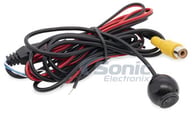
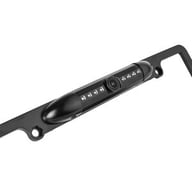
Universal Waterproof License Plate Mount Rearview Backup Camera
(39)
$39.99
List price $99.99

Universal Waterproof Rearview Backup Camera with 4 Mounting Options
(13)
$49.99
List price $139.99

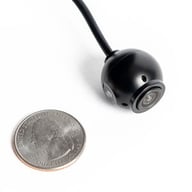
Universal Waterproof Rearview Backup Camera with 5 Mounting Options
(12)
$49.99
List price $139.99

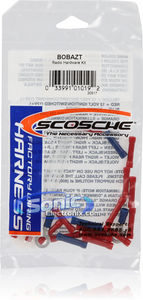
Great Connection Kit for Stereo to Car Wire Harness with Zip Ties and Butt Connectors
(27)
$9.95
List price $9.95

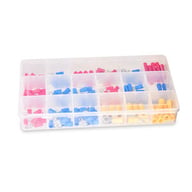
120pc of waterproof and sealed solder seal electrical heat shrink wire/butt connectors terminals
(13)
$9.99
List price $19.99

158 Piece Terminal Connector Kit with Crimping Tool Included
(2)
$14.99
List price $29.99

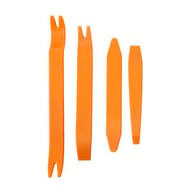
Belva BTK112 Trim Panel Remover
12-Piece Installer's Master Panel Removal Tool Kit
(19)
$8.99
List price $24.99

Belva BTK105 Trim Panel Remover
Five Piece Professional-Grade Installer Panel Removal Tool Kit for Car Stereo/Speakers
(73)
$11.99
List price $18.99

Belva BTK106 Trim Panel Remover
Six Piece Professional-Grade Installer Panel Removal Tool Kit for Car Stereo/Speakers
(44)
$14.99
List price $19.99

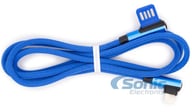
Blue Right Angle 1 Meter (3.28 ft) Lightning to USB-A Cable for Apple iPhone
(1)
$3.99
List price $12.99

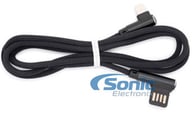
Black Right Angle 1 Meter (3.28 ft) Lightning to USB-A Cable for Apple iPhone
(2)
$3.99
List price $14.98

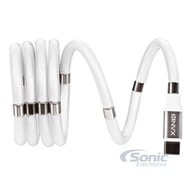
3.3ft (1 meter) USB Type A to USB Type C Cable Special Magnetic Cord Management
(4)
$7.99
List price $19.99


Modern vehicles often require specific brackets, wiring harnesses, and mounting solutions. A fit guide ensures:
Whether you're replacing a factory stereo or upgrading your entire audio system, the Fit Finder eliminates uncertainty.