Garage
Shop

Discontinued Bypass for In Motion Video & Navigation Sensor Lock for your 2007 3 close

Use these override kits and harnesses to add more functions to your factory stereo system. Popular uses include navigation override, DVD playback, and many more.

Loading...

Your Vehicle


Universal fit Icon
Explore universal-fit product options for your 2007 3
Vehicle-specific solutions are not available in this category.

Update vehicle | Remove vehicle | Vehicle store

Shop the Category

filter-icon Filters & Sort
You are currently viewing discontinued products.

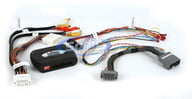
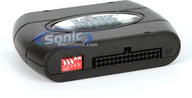
Lock Pick MYGIG (V 3.0)

The Ultimate Navigation/Video Override Kit for Select Chrysler, Dodge and Jeep MYGIG Factory Radios
Go to item page Right Arrow Icon of Right Arrow

The Ultimate Navigation/Video Override Kit for Select Chrysler, Dodge and Jeep MYGIG Factory Radios

Complete Multimedia Override Interface • Compatible with Select Chrysler, Dodge and Jeep Vehicles • Unlocks Navigation Input While Driving • View Cameras • Unlocks Auxiliary Inputs • Fast and Easy Installation

Universal Icon Universal – fits most vehicles.

Shop similar products or Update vehicle

Complete Multimedia Override Interface • Compatible with Select Chrysler, Dodge and Jeep Vehicles • Unlocks Navigation Input While Driving • View Cameras • Unlocks Auxiliary Inputs • Fast and Easy Installation

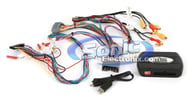
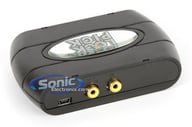
LockPick MYGIG (V 4.0)

The Ultimate Navigation/Video Override Kit for Select Chrysler, Dodge and Jeep MYGIG Factory Radios
Go to item page Right Arrow Icon of Right Arrow

The Ultimate Navigation/Video Override Kit for Select Chrysler, Dodge and Jeep MYGIG Factory Radios

Complete Multimedia Override Interface • Compatible with Select Chrysler, Dodge and Jeep Vehicles • Unlocks Navigation Input While Driving • View Cameras • Unlocks Auxiliary Inputs • Fast and Easy Installation • Version 4.0

Universal Icon Universal – fits most vehicles.

Shop similar products or Update vehicle

Complete Multimedia Override Interface • Compatible with Select Chrysler, Dodge and Jeep Vehicles • Unlocks Navigation Input While Driving • View Cameras • Unlocks Auxiliary Inputs • Fast and Easy Installation • Version 4.0

Brandmotion 9002-6005

Jumper Harness Required when Installing Brandmotion Rear Vision Systems in 2007-2012 Chevrolet Silverado and GMC Yukon Denali

Go to item page Right Arrow Icon of Right Arrow

Jumper Harness Required when Installing Brandmotion Rear Vision Systems in 2007-2012 Chevrolet Silverado and GMC Yukon Denali

Brandmotion Rear Vision System Jumper Harness • Required when Installing in 2007-2012 Chevrolet Silverado Denalis • OEM Quality

Universal Icon Universal – fits most vehicles.

Shop similar products or Update vehicle

Brandmotion Rear Vision System Jumper Harness • Required when Installing in 2007-2012 Chevrolet Silverado Denalis • OEM Quality

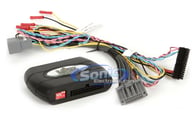
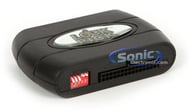
Lock Pick MYGIG (V2.5)

The Ultimate Navigation/Video Override Kit for Select Chrysler, Dodge and Jeep MYGIG Factory Radios
Go to item page Right Arrow Icon of Right Arrow

The Ultimate Navigation/Video Override Kit for Select Chrysler, Dodge and Jeep MYGIG Factory Radios

Complete Multimedia Override Interface • Compatible with Select Chrysler, Dodge and Jeep Vehicles • Unlocks Navigation Input While Driving • View Cameras • Unlocks Auxiliary Inputs • Fast and Easy Installation

Universal Icon Universal – fits most vehicles.

Shop similar products or Update vehicle

Complete Multimedia Override Interface • Compatible with Select Chrysler, Dodge and Jeep Vehicles • Unlocks Navigation Input While Driving • View Cameras • Unlocks Auxiliary Inputs • Fast and Easy Installation

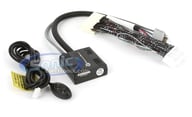
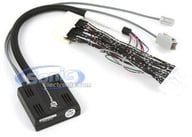
Lexus LS460 / LS460L / LS600hL Plug-N-Play Lockout Bypass Module to Allow DVD Playback and GPS Navigation While Driving/In Motion

No wires need to be cut! A true plug-n-play install on your LS 460, LS 460 L (LS460 L), LS 600h L
Go to item page Right Arrow Icon of Right Arrow

No wires need to be cut! A true plug-n-play install on your LS 460, LS 460 L (LS460 L), LS 600h L

This is the same unit that Nathaniel Victor (CEO) has in his car • Trigger button allows your bypass to be constantly on (in manual mode) or on for 5 minutes at a time so you can quickly set an address while in motion without pulling over • Also allows you to dial/call using Bluetooth on screen while in motion • When installed in conjunction with the aftermarket iPod Adapter by Vais Tech, this allows you to control your iPod while in motion too (something that cannot be done without this bypass module)

Universal Icon Universal – fits most vehicles.

Shop similar products or Update vehicle

This is the same unit that Nathaniel Victor (CEO) has in his car • Trigger button allows your bypass to be constantly on (in manual mode) or on for 5 minutes at a time so you can quickly set an address while in motion without pulling over • Also allows you to dial/call using Bluetooth on screen while in motion • When installed in conjunction with the aftermarket iPod Adapter by Vais Tech, this allows you to control your iPod while in motion too (something that cannot be done without this bypass module)

PAC NU-CTS2

Navigation Unlock Interface for 2008-2012 Cadillac CTS & CTS-V
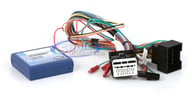
Go to item page Right Arrow Icon of Right Arrow

Navigation Unlock Interface for 2008-2012 Cadillac CTS & CTS-V
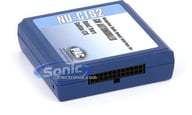
Navigation Unlock Interface for 2008-2012 Cadillac CTS & CTS-V • Allows the factory navigation, DVD and reverse camera features of your Cadillac CTS radio to be used by the passenger at any time • Fully unlock factory Bluetooth and OnStar menus

Universal Icon Universal – fits most vehicles.

Shop similar products or Update vehicle

Navigation Unlock Interface for 2008-2012 Cadillac CTS & CTS-V • Allows the factory navigation, DVD and reverse camera features of your Cadillac CTS radio to be used by the passenger at any time • Fully unlock factory Bluetooth and OnStar menus

Lock Pick GMX-322 (GMX322)

The Ultimate Video, Navigation, and Multimedia Override Kit for Select GM Vehicles
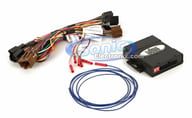
Go to item page Right Arrow Icon of Right Arrow

The Ultimate Video, Navigation, and Multimedia Override Kit for Select GM Vehicles
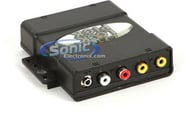
Complete Multimedia Override Interface • Compatible with Select GM Vehicles • Enables the Override of Video, Navigation, Satellite Radio, and Bluetooth • Plug and Play • 12 Volt Output Supply

Universal Icon Universal – fits most vehicles.

Shop similar products or Update vehicle

Complete Multimedia Override Interface • Compatible with Select GM Vehicles • Enables the Override of Video, Navigation, Satellite Radio, and Bluetooth • Plug and Play • 12 Volt Output Supply

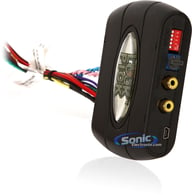
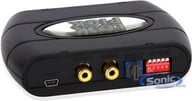
LockPick Ford and Lincoln Navigation and Video Bypass (MYTOUCHFIM)

Gain Access to Locked Navigation Menus and Video while Vehicle is In Motion on select 2011-2015 Ford and Lincoln MyTouch Factory Radios
Go to item page Right Arrow Icon of Right Arrow

Gain Access to Locked Navigation Menus and Video while Vehicle is In Motion on select 2011-2015 Ford and Lincoln MyTouch Factory Radios

MYTOUCH Lockpick • For Standard Hard Drive Sync Radios • Enable All Blocked Video Functions • Plug and Play

Universal Icon Universal – fits most vehicles.

Shop similar products or Update vehicle

MYTOUCH Lockpick • For Standard Hard Drive Sync Radios • Enable All Blocked Video Functions • Plug and Play

Lock Pick FIM-IPD-7

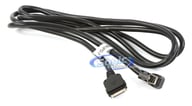
Replacement 30 Pin iPod/iPhone/iPad Cable for LockPick GMX550, GMX560 & CHR550
Go to item page Right Arrow Icon of Right Arrow

Replacement 30 Pin iPod/iPhone/iPad Cable for LockPick GMX550, GMX560 & CHR550

Replacement 30 Pin iPod/iPhone/iPad Cable for Lockpick GMX550, GMX560 & CHR550

Replacement 30 Pin iPod/iPhone/iPad Cable for Lockpick GMX550, GMX560 & CHR550

PAC NU-STS

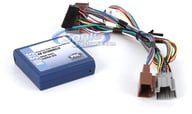
Navigation Unlock Interface for 2008-2010 Cadillac STS
Go to item page Right Arrow Icon of Right Arrow

Navigation Unlock Interface for 2008-2010 Cadillac STS
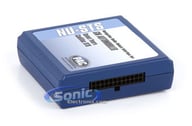
Navigation Unlock Interface for 2008-2010 Cadillac STS Vehicles • Unlocks factory navigation, DVD and reverse camera features of Cadillac STS radio for use by the passenger at any time • Text displayed on instrument cluster to “Confirm Safe Use”

Universal Icon Universal – fits most vehicles.

Shop similar products or Update vehicle

Navigation Unlock Interface for 2008-2010 Cadillac STS Vehicles • Unlocks factory navigation, DVD and reverse camera features of Cadillac STS radio for use by the passenger at any time • Text displayed on instrument cluster to “Confirm Safe Use”

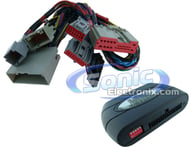
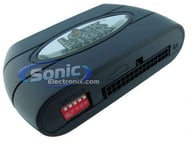
LockPick SYNC-LP1

Override Kit for all Hard Drive Equipped Navigation Systems for Select 2009-2010 Ford, Lincoln and Mercury Vehicles
Go to item page Right Arrow Icon of Right Arrow

Override Kit for all Hard Drive Equipped Navigation Systems for Select 2009-2010 Ford, Lincoln and Mercury Vehicles

Lockpick Override Kit for all Hard Drive Equipped Navigation Systems • View DVDs with the Vehicle Moving • Navigation Address Input with Vehicle in Motion • Fully Programmed • Plug-N-Play Design

Universal Icon Universal – fits most vehicles.

Shop similar products or Update vehicle

Lockpick Override Kit for all Hard Drive Equipped Navigation Systems • View DVDs with the Vehicle Moving • Navigation Address Input with Vehicle in Motion • Fully Programmed • Plug-N-Play Design

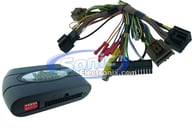
LockPick GEN6 Open Box

Override Kit for all Factory Navigation Systems for Select 2007-2010 Chevy, Cadillac, GMC Vehicles
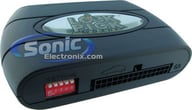
Go to item page Right Arrow Icon of Right Arrow

Override Kit for all Factory Navigation Systems for Select 2007-2010 Chevy, Cadillac, GMC Vehicles

Lockpick Override Kit for all OEM Equipped Navigation Systems • Unlocks DVD and Auxiliary Video Playback • Removes Restrictions for XM Category Scrolling • Allows Onstar On-Screen Dialing • Unlocks More Features!

Universal Icon Universal – fits most vehicles.

Shop similar products or Update vehicle

Lockpick Override Kit for all OEM Equipped Navigation Systems • Unlocks DVD and Auxiliary Video Playback • Removes Restrictions for XM Category Scrolling • Allows Onstar On-Screen Dialing • Unlocks More Features!

    Clear all

    FAQ Frequently asked questions in Discontinued Bypass for In Motion Video & Navigation Sensor Lock


    Bypass for Car In Motion Video & Navigation Sensor Lock Frequently Asked Questions (FAQ)
    A bypass for car in motion video and navigation sensor lock is a device or software designed to override or disable certain safety restrictions in a vehicle's multimedia system. Many factory-installed multimedia systems have safety features that prevent video playback or certain navigation functions while the vehicle is in motion. The bypass allows users to bypass these restrictions, enabling video playback, accessing navigation features, and using other multimedia functions while driving.
    The legality of using a bypass for car in motion video and navigation sensor lock varies by jurisdiction. In many regions, using such bypasses while driving is considered illegal due to safety concerns. Safety regulations are put in place to reduce driver distraction and enhance road safety. Engaging in activities like watching videos or using complex navigation systems while driving can divert the driver's attention from the road, leading to accidents. Therefore, it's essential to check local laws and regulations regarding the use of bypasses for multimedia systems in vehicles.
    The installation of a bypass for car in motion video and navigation sensor lock can vary depending on the make and model of the vehicle and the type of bypass being used. Some bypasses may be straightforward plug-and-play devices that do not require advanced technical knowledge. However, others may involve more complex wiring or software modifications, and professional installation may be recommended. Attempting to install a bypass without the necessary expertise could lead to system malfunctions, voided warranties, or even damage to the vehicle's electronics. It's best to read the product documentation carefully and consider seeking professional installation if unsure about the process.
    Using a bypass for car in motion video and navigation sensor lock can potentially cause technical issues in the vehicle's multimedia system. Bypassing safety restrictions set by the manufacturer may lead to unintended consequences or malfunctions in the system. For example, the bypass might interfere with the vehicle's software updates or conflict with other systems, affecting the overall performance and reliability of the multimedia unit. Additionally, using a bypass could void the warranty on the multimedia system, leaving the owner responsible for any repairs or replacements. Before installing a bypass, it's essential to consider the potential risks and consult with the vehicle's manufacturer or a qualified professional for advice.
    Instead of using a bypass, drivers can focus on safe driving practices and obey local laws and regulations regarding the use of multimedia systems while driving. Many modern vehicles offer voice-activated commands, which allow drivers to control navigation, music, and other functions without taking their hands off the steering wheel or eyes off the road. Utilizing hands-free technology or passenger-operated systems for multimedia functions can also help reduce distractions while driving. Additionally, planning the navigation route before starting the journey and avoiding engaging in video playback can contribute to a safer driving experience.

    All About Discontinued Bypass for In Motion Video & Navigation Sensor Lock


    If you're in search of the best quality Bypass for Car In Motion Video & Navigation Sensor Lock, you've come to the right place. Our wide selection of premium bypass devices allows you to bypass in-motion restrictions on video playback and navigation controls, providing you with the ultimate entertainment experience while ensuring safety on the road. Let's explore the advantages of having a Bypass for Car In Motion Video & Navigation Sensor Lock and how Sonic Electronix can assist you in finding the perfect solution.

    Bypass for Car In Motion Video & Navigation Sensor Lock is an ingenious device that enables you to unlock the full potential of your in-car entertainment system. Many vehicles come with restrictions that prevent video playback and certain navigation functions while the vehicle is in motion. While this is a safety measure, it can be limiting for passengers on long journeys or during breaks.

    With a Bypass for Car In Motion Video & Navigation Sensor Lock, you can enjoy uninterrupted access to video content and navigation controls regardless of the vehicle's movement. Passengers can watch movies, view maps, and interact with the navigation system, providing a more enjoyable and comfortable experience during your travels. It's important to note that safety remains a priority, and the driver should always focus on the road and refrain from interacting with the entertainment system while driving.

    At Sonic Electronix, we understand the importance of finding the right Bypass for Car In Motion Video & Navigation Sensor Lock that perfectly suits your vehicle's make and model. Our collection of top-quality bypass devices includes models that are compatible with various car brands and infotainment systems.

    If you're unsure about which bypass device is suitable for your vehicle or if you have any questions regarding compatibility, our team of experts is ready to assist you. Feel free to call us at 1-502-200-8010, and our knowledgeable staff will provide expert guidance to ensure you make an informed decision.

    why-shoping-with-sonic

    We love people and we're ready to help you! See what separates us from our competition.

    Take advantage of our VIP rewards like 10% back on your purchases, free 2-day shipping, extended warranties, and free returns! Gain access to all of these rewards without any membership fees.
    Get great discounted (and possibly FREE) installation accessories with most car stereo purchases. This includes dash kits, wiring harnesses and antenna adapters that you will need to properly install your new car stereo.
    We are an Authorized Dealer for all the brands we sell, including the most premium brands in car and marine audio such as Hertz, JL Audio, NVX, Rockford Fosgate, Kicker, Alpine, Kenwood and many more.
    Shop Deals and get up to 30% off premium brands! Shop Now! We are always looking out for the best products and deals to offer our customers. Don’t pay too much by shopping elsewhere!
    We have information on brands, gear, and more for you to explore! Check out our YouTube Channel for helpful how-to videos, product reviews, and Q&As. For a more detailed look, also visit our Learning Center!
    Our trained experts are here to assist you! They are just a phone call or click away to help you get the right gear for you and your vehicle!
    Why Shop With Us?
    Save up to 10 different vehicles in your garage
    Vehicle
    Store
    Delete

    2007 Mazda 3

    2018 Ford Explorer

    2014 Kia Rio

    2004 Oldsmobile Silhouette

    1981 Toyota Corolla

    2014 Audi TT

    1984 Volkswagen Scirocco

    Add vehicle Clear all vehicles
    Where to find vehicle info
    Are you sure you want to clear your garage?
    This action cannot be undone. Confirm
    This category was not designed for products.
    If you continue, you will be redirected to a category customized for your vehicle. Continue
    Loading...
    Identify your vehicle and submodel details
    • Owner's manual
    • Vehicle's insurance card
    • Vehicle registration
    • Vehicle produced after 2005: Inside driver's side door
    • Vehicle produced before 2005: Rear passenger doorjamb, glove box, center console, or engine compartment
    Car Info Side Door Icon
    Vehicle Registration Icon
    Vehicle Insurance Icon

    Modern vehicles often require specific brackets, wiring harnesses, and mounting solutions. A fit guide ensures:

    • You see only parts engineered for your exact vehicle
    • You avoid incompatible radios, speakers, or wiring
    • Installation is smoother, faster, and frustration-free
    • You get the correct accessories the first time

    Whether you're replacing a factory stereo or upgrading your entire audio system, the Fit Finder eliminates uncertainty.