Garage
Shop

Add Android Auto to Factory Stereo for your 1989 Colt close

Loading...

Your Vehicle


Universal fit Icon
Explore universal-fit product options for your 1989 Colt
Vehicle-specific solutions are not available in this category.

Update vehicle | Remove vehicle | Vehicle store

Shop the Category

filter-icon Filters & Sort
Limited time!

Soundstream MagiCast SRMC-10

Universal Wireless Apple CarPlay and Android Auto USB Interface

SRMC-10 big
Go to item page Right Arrow Icon of Right Arrow

Universal Wireless Apple CarPlay and Android Auto USB Interface
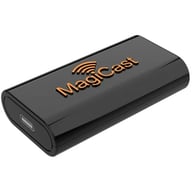
• Universal Wireless Apple CarPlay and Android Auto USB Interface
• Converts wired CarPlay or Android Auto to wireless
• Compatible with Soundstream Reserve stereos (Sold separately)

shipping truck icon Free shipping in USA. Provide zip for delivery date.
Universal Icon
Universal – fits most vehicles.
Shop similar products or Update vehicle
6
List price $150.95
Save $124.96
-83% $25.99

In stock

Only 1 Left!

• Universal Wireless Apple CarPlay and Android Auto USB Interface
• Converts wired CarPlay or Android Auto to wireless
• Compatible with Soundstream Reserve stereos (Sold separately)

Crux ACP-WLX

Wireless CarPlay and Android Auto Dongle for Select OEM and Aftermarket Stereos with CarPlay or Android Auto

ACP-WLX big
Go to item page Right Arrow Icon of Right Arrow

Wireless CarPlay and Android Auto Dongle for Select OEM and Aftermarket Stereos with CarPlay or Android Auto

• Wireless CarPlay and Android Auto dongle
• Converts wired CarPlay and Android Auto to wireless
• Works on select OEM and aftermarket stereos with CarPlay or Android Auto
• Easy and hassle-free plug and play installation

shipping truck icon Free shipping in USA. Provide zip for delivery date.
VIP Star Icon

VIP Product Get $22.95 in rewards to spend later

Universal Icon
Universal – fits most vehicles.
Shop similar products or Update vehicle
List price $357.00
-36% $229.50

In stock.

• Wireless CarPlay and Android Auto dongle
• Converts wired CarPlay and Android Auto to wireless
• Works on select OEM and aftermarket stereos with CarPlay or Android Auto
• Easy and hassle-free plug and play installation

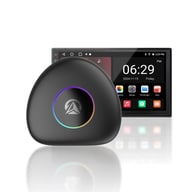
Vinland Nexus (NXBK-N)

Android 13 Multimedia Smart Box
NXBK-N big
Go to item page Right Arrow Icon of Right Arrow

Android 13 Multimedia Smart Box

• Android 13 Multimedia Box
• Converts wired to wireless Apple CarPlay and Android Auto
• Android 13 operating system

shipping truck icon Free shipping in USA. Provide zip for delivery date.
VIP Star Icon

VIP Product Get $19.90 in rewards to spend later

Universal Icon
Universal – fits most vehicles.
Shop similar products or Update vehicle
$199.00

In stock.

• Android 13 Multimedia Box
• Converts wired to wireless Apple CarPlay and Android Auto
• Android 13 operating system

    Clear all

    FAQ Frequently asked questions in Add Android Auto to Factory Stereo


    Adding Android Auto to Factory Stereo Frequently Asked Questions (FAQ)
    Android Auto is a popular platform that allows you to mirror your Android smartphone's interface on your car's infotainment system, providing access to apps, navigation, and other features in a safe and convenient manner. To add Android Auto to your factory car stereo, you typically have a few options. One common method is to use an aftermarket head unit that supports Android Auto. You can replace your factory head unit with a compatible one, and this will provide seamless integration with your Android device.
    In most cases, adding Android Auto to a factory car stereo involves replacing the existing head unit with one that supports Android Auto. While some advanced car models might offer software updates or retrofit kits for their factory stereos, this is less common. To enjoy the full Android Auto experience with access to apps, navigation, and voice commands, investing in a compatible aftermarket head unit is often the best and most reliable option.
    When you add Android Auto to your factory car stereo, you can expect a range of features that enhance your driving experience. These include seamless navigation through Google Maps, hands-free calling and texting through voice commands, access to music streaming apps like Spotify, and the ability to use other essential apps without taking your eyes off the road. Android Auto also supports a wide range of third-party apps, making it a versatile platform for both entertainment and convenience.
    A seamless installation of Android Auto requires a few key steps. First, choose an aftermarket head unit that is compatible with your car's make and model. Ensure that you have all the necessary adapters, wiring harnesses, and mounting brackets for a proper fit. Properly connect the head unit to your car's electrical system, including power, ground, and speaker connections. Additionally, consider professional installation for a clean and secure fit.
    While adding Android Auto to your factory car stereo offers numerous benefits, it's essential to consider a few limitations. Your smartphone's compatibility with Android Auto is crucial, as not all Android devices may work seamlessly. Additionally, some older factory car stereos may lack the necessary connectivity options or touchscreen displays for optimal Android Auto functionality. In such cases, upgrading to a more modern head unit may be necessary to enjoy the full benefits of Android Auto. Finally, always ensure that you follow local laws and practice safe driving habits when using Android Auto to minimize distractions on the road.

    All About Add Android Auto to Factory Stereo


    Add an Android input to your existing factory stereo. Some adapters only transfer audio, while others provide a full user-friendly interface.

    If you're looking for the best way to add Android Auto to your factory stereo, look no further than Sonic Electronix. We offer a wide selection of high-quality kits to fit all makes and models of cars. Our kits are easy to install and come with everything you need to get started.

    Android Auto is a great way to make your car more connected and convenient. With Android Auto, you can access your favorite apps, like Maps, Music, and Messages, right from your car's stereo. You can also use Google Assistant to control your phone hands-free.

    Adding Android Auto to your factory stereo is a great way to upgrade your car audio system. It's easy to do, and it will give you access to all the features you love about your Android phone while you're driving.

    Sonic Electronix offers a wide selection of high-quality Android Auto kits to help you add this popular feature to your factory stereo. Our kits are easy to install and come with everything you need to get started.

    Our staff is also available to assist you with choosing the right kit for your needs. Call us today at 1-502-200-8010 to learn more.

    Additional information about Adding Android Auto to Factory Stereo:

    Android Auto is compatible with most Android phones running Android 5.0 Lollipop or later.

    There are two types of Android Auto kits: wired and wireless. Wired kits connect to your phone using a USB cable, while wireless kits use Bluetooth.

    Wired kits are typically less expensive than wireless kits.

    Wireless kits are more convenient than wired kits, but they can be more expensive.

    The advantages of adding Android Auto to your factory stereo:

    You can access your favorite apps, like Maps, Music, and Messages, right from your car's stereo.

    You can use Google Assistant to control your phone hands-free.

    You can make calls, send text messages, and listen to music without taking your hands off the wheel.

    You can get directions, find parking, and more without having to look at your phone.

    If you are looking for a way to make your car more connected and convenient, then adding Android Auto to your factory stereo is a great option. Sonic Electronix offers a wide selection of high-quality kits to fit all makes and models of cars. Our kits are easy to install and come with everything you need to get started.

    Our staff is also available to assist you with choosing the right kit for your needs. Call us today at 1-502-200-8010 to learn more.

    why-shoping-with-sonic

    We love people and we're ready to help you! See what separates us from our competition.

    Take advantage of our VIP rewards like 10% back on your purchases, free 2-day shipping, extended warranties, and free returns! Gain access to all of these rewards without any membership fees.
    Get great discounted (and possibly FREE) installation accessories with most car stereo purchases. This includes dash kits, wiring harnesses and antenna adapters that you will need to properly install your new car stereo.
    We are an Authorized Dealer for all the brands we sell, including the most premium brands in car and marine audio such as Hertz, JL Audio, NVX, Rockford Fosgate, Kicker, Alpine, Kenwood and many more.
    Shop Deals and get up to 30% off premium brands! Shop Now! We are always looking out for the best products and deals to offer our customers. Don’t pay too much by shopping elsewhere!
    We have information on brands, gear, and more for you to explore! Check out our YouTube Channel for helpful how-to videos, product reviews, and Q&As. For a more detailed look, also visit our Learning Center!
    Our trained experts are here to assist you! They are just a phone call or click away to help you get the right gear for you and your vehicle!
    Why Shop With Us?
    Save up to 10 different vehicles in your garage
    Vehicle
    Store
    Delete

    1989 Dodge Colt

    2011 BMW 740i

    2000 Honda CR-V

    2004 Chevrolet SSR

    2007 Buick Rendezvous

    2009 Nissan Frontier

    2007 Lexus RX400h

    1973 Ford LTD

    2015 Ford F-150

    2007 Chevrolet Malibu

    Add vehicle Clear all vehicles
    Where to find vehicle info
    Are you sure you want to clear your garage?
    This action cannot be undone. Confirm
    This category was not designed for products.
    If you continue, you will be redirected to a category customized for your vehicle. Continue
    Loading...
    Identify your vehicle and submodel details
    • Owner's manual
    • Vehicle's insurance card
    • Vehicle registration
    • Vehicle produced after 2005: Inside driver's side door
    • Vehicle produced before 2005: Rear passenger doorjamb, glove box, center console, or engine compartment
    Car Info Side Door Icon
    Vehicle Registration Icon
    Vehicle Insurance Icon

    Modern vehicles often require specific brackets, wiring harnesses, and mounting solutions. A fit guide ensures:

    • You see only parts engineered for your exact vehicle
    • You avoid incompatible radios, speakers, or wiring
    • Installation is smoother, faster, and frustration-free
    • You get the correct accessories the first time

    Whether you're replacing a factory stereo or upgrading your entire audio system, the Fit Finder eliminates uncertainty.