


PAC NU-CTS2
Navigation Unlock Interface for 2008-2012 Cadillac CTS & CTS-V
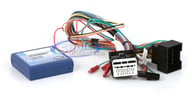
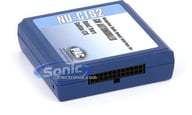
Navigation Unlock Interface for 2008-2012 Cadillac CTS & CTS-V
Navigation Unlock Interface for 2008-2012 Cadillac CTS & CTS-V • Allows the factory navigation, DVD and reverse camera features of your Cadillac CTS radio to be used by the passenger at any time • Fully unlock factory Bluetooth and OnStar menus

Shop similar products or Update vehicle
Navigation Unlock Interface for 2008-2012 Cadillac CTS & CTS-V • Allows the factory navigation, DVD and reverse camera features of your Cadillac CTS radio to be used by the passenger at any time • Fully unlock factory Bluetooth and OnStar menus
LockPick REC Freedom In Motion (RECFIM)
Unlocks And Allows Full Use Of Your Chrysler/Dodge/Jeep REC Navigation Radio
Get bigger discounts with our bundled Savings:
View All Deals!
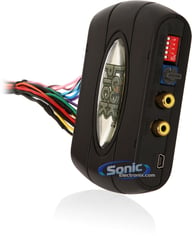
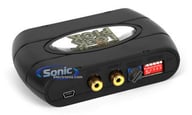
Unlocks And Allows Full Use Of Your Chrysler/Dodge/Jeep REC Navigation Radio
• Lockpick Updated With iPod/iPad Video Output Compatibility
• Complete Multimedia Override Interface
• Compatible With Select Chrysler/Dodge/Jeep Vehicles
• Enables Override Of Video, Navigation, Satellite Radio, and Bluetooth
• Plug And Play Installation
• 12 Volt Output Supply

Get bigger discounts with our bundled Savings:
View All Deals!

• Lockpick Updated With iPod/iPad Video Output Compatibility
• Complete Multimedia Override Interface
• Compatible With Select Chrysler/Dodge/Jeep Vehicles
• Enables Override Of Video, Navigation, Satellite Radio, and Bluetooth
• Plug And Play Installation
• 12 Volt Output Supply
LockPick CHR550
Plug & Play iPod/iPhone/iPad Interface For 2008-2011 Chrysler/Dodge/Jeep Vehicles
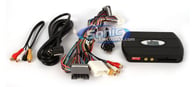
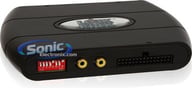
Plug & Play iPod/iPhone/iPad Interface For 2008-2011 Chrysler/Dodge/Jeep Vehicles
• Lockpick Plug & Play iPod/iPhone/iPad Interface
• For 2008-2011 Chrysler/Dodge/Jeep Vehicles
• Activates Video/Audio In Apple Products
• Displays It On The Front Screen
• For Fully Unlocked Mygig Receivers Or Factory Mygig Receivers
• Search Playlists, Artists, or Songs
• Lockpick Plug & Play iPod/iPhone/iPad Interface
• For 2008-2011 Chrysler/Dodge/Jeep Vehicles
• Activates Video/Audio In Apple Products
• Displays It On The Front Screen
• For Fully Unlocked Mygig Receivers Or Factory Mygig Receivers
• Search Playlists, Artists, or Songs
PAC NU-GM4
Navigation Unlock Interface for GMlan 29 Bit (V1) Radios w/ 44 Pin Harness
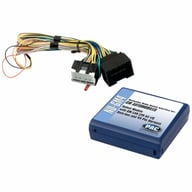
Navigation Unlock Interface for GMlan 29 Bit (V1) Radios w/ 44 Pin Harness
• Navigation Unlock Interface
• For Select 2012 - 2014 CHevy and GMC Vehicles
• Enables the Reverse Camera at Any Time
• Unlocks Advanced Features of Factory Navigation Radio
• Navigation Unlock Interface
• For Select 2012 - 2014 CHevy and GMC Vehicles
• Enables the Reverse Camera at Any Time
• Unlocks Advanced Features of Factory Navigation Radio
Lock Pick GMX-322 (GMX322)
The Ultimate Video, Navigation, and Multimedia Override Kit for Select GM Vehicles
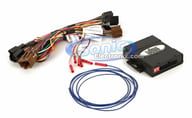
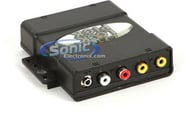
The Ultimate Video, Navigation, and Multimedia Override Kit for Select GM Vehicles
Complete Multimedia Override Interface • Compatible with Select GM Vehicles • Enables the Override of Video, Navigation, Satellite Radio, and Bluetooth • Plug and Play • 12 Volt Output Supply
Shop similar products or Update vehicle
Complete Multimedia Override Interface • Compatible with Select GM Vehicles • Enables the Override of Video, Navigation, Satellite Radio, and Bluetooth • Plug and Play • 12 Volt Output Supply
NAV-TV Porsche PCM3.1-AV 970 Video Bypass (NTV-KIT217)
Add an A/V Input with Video while Vehicle is In Motion on select 2010-2016 Porsche Factory Radios
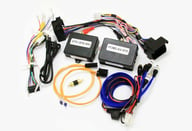
Add an A/V Input with Video while Vehicle is In Motion on select 2010-2016 Porsche Factory Radios
• NTV-KIT217
• Provides Audio and Video Inputs
• Enables Video in Motion
• NTV-KIT217
• Provides Audio and Video Inputs
• Enables Video in Motion
Beat-Sonic Scion, Subaru and Toyota Navigation and Video Bypass (NT6122)
Gain Access to Locked Navigation Menus and Video while Vehicle is In Motion on select 2012-2014 Scion, Subaru and Toyota Factory Radios
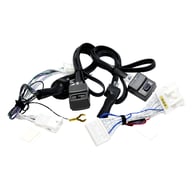
Gain Access to Locked Navigation Menus and Video while Vehicle is In Motion on select 2012-2014 Scion, Subaru and Toyota Factory Radios
• Enable functions that lock out when the car goes into motion
• For select 2012-2014 Toyota/Subaru/Scion Vehicles
• Plug and Play harness
• No splicing of factory harness
• Easily reversible to factory specifications
• One-touch switch to easily override factory navigation system
• Control button that enables the DVD player bypass

VIP Product Get $19.50 in rewards to spend later
• Enable functions that lock out when the car goes into motion
• For select 2012-2014 Toyota/Subaru/Scion Vehicles
• Plug and Play harness
• No splicing of factory harness
• Easily reversible to factory specifications
• One-touch switch to easily override factory navigation system
• Control button that enables the DVD player bypass
LockPick Ford and Lincoln Navigation and Video Bypass (MYTOUCHFIM)
Gain Access to Locked Navigation Menus and Video while Vehicle is In Motion on select 2011-2015 Ford and Lincoln MyTouch Factory Radios
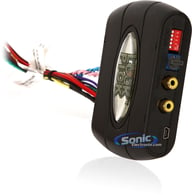
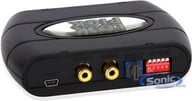
Gain Access to Locked Navigation Menus and Video while Vehicle is In Motion on select 2011-2015 Ford and Lincoln MyTouch Factory Radios
MYTOUCH Lockpick • For Standard Hard Drive Sync Radios • Enable All Blocked Video Functions • Plug and Play
Shop similar products or Update vehicle
MYTOUCH Lockpick • For Standard Hard Drive Sync Radios • Enable All Blocked Video Functions • Plug and Play
Lock Pick FIM-IPD-7
Replacement 30 Pin iPod/iPhone/iPad Cable for LockPick GMX550, GMX560 & CHR550
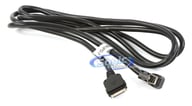
Replacement 30 Pin iPod/iPhone/iPad Cable for LockPick GMX550, GMX560 & CHR550
Replacement 30 Pin iPod/iPhone/iPad Cable for Lockpick GMX550, GMX560 & CHR550
Replacement 30 Pin iPod/iPhone/iPad Cable for Lockpick GMX550, GMX560 & CHR550
Crux NAVGM-80L
Navigation Integration for Select GM Vehicles w/ MyLink Systems
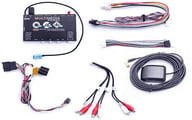
Navigation Integration for Select GM Vehicles w/ MyLink Systems
• Plug & Play Connectors Make Installation Simple and Easy
• Utilizes the Latest Mapping Version of iGo Primo
• 2 Audio/Video Inputs and Reverse Camera Input
• For Select GM Vehicles
• Plug & Play Connectors Make Installation Simple and Easy
• Utilizes the Latest Mapping Version of iGo Primo
• 2 Audio/Video Inputs and Reverse Camera Input
• For Select GM Vehicles
LockPick GEN6
Override Kit for all Factory Navigation Systems for Select 2007-2010 Chevy, Cadillac, GMC Vehicles
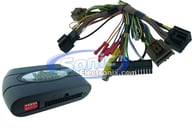
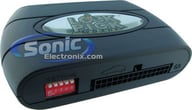
Override Kit for all Factory Navigation Systems for Select 2007-2010 Chevy, Cadillac, GMC Vehicles
Lockpick Override Kit for all OEM Equipped Navigation Systems • Unlocks DVD and Auxiliary Video Playback • Removes Restrictions for XM Category Scrolling • Allows Onstar On-Screen Dialing • Unlocks More Features!
Lockpick Override Kit for all OEM Equipped Navigation Systems • Unlocks DVD and Auxiliary Video Playback • Removes Restrictions for XM Category Scrolling • Allows Onstar On-Screen Dialing • Unlocks More Features!
Crux NAVCH-75P
Navigation Integration for Select 2011 - Up Chrysler and Dodge Vehicles w/ U-Connect Systems
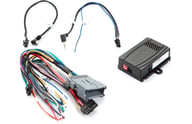
Navigation Integration for Select 2011 - Up Chrysler and Dodge Vehicles w/ U-Connect Systems
• Plug & Play Connectors Make Installation Simple and Easy
• Utilizes the Latest Mapping Version of iGo Primo
• 2 Audio/Video Inputs and Reverse Camera Input
• For Select Chrysler/Dodge/Fiat Vehicles with Business/Professional Radios
• Plug & Play Connectors Make Installation Simple and Easy
• Utilizes the Latest Mapping Version of iGo Primo
• 2 Audio/Video Inputs and Reverse Camera Input
• For Select Chrysler/Dodge/Fiat Vehicles with Business/Professional Radios
Crux NAVGM-80R
Navigation Integration for Select Cadillac Vehicles w/ CUE Infotainment Systems
Navigation Integration for Select Cadillac Vehicles w/ CUE Infotainment Systems
• Plug & Play Connectors Make Installation Simple and Easy
• Utilizes the Latest Mapping Version of iGo Primo
• 2 Audio/Video Inputs and Reverse Camera Input
• For Select Cadillac/Chevrolet/GMC Vehicles
• Plug & Play Connectors Make Installation Simple and Easy
• Utilizes the Latest Mapping Version of iGo Primo
• 2 Audio/Video Inputs and Reverse Camera Input
• For Select Cadillac/Chevrolet/GMC Vehicles
PAC NU-STS
Navigation Unlock Interface for 2008-2010 Cadillac STS
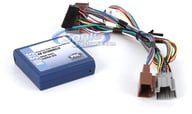
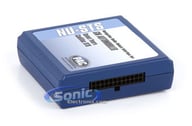
Navigation Unlock Interface for 2008-2010 Cadillac STS
Navigation Unlock Interface for 2008-2010 Cadillac STS Vehicles • Unlocks factory navigation, DVD and reverse camera features of Cadillac STS radio for use by the passenger at any time • Text displayed on instrument cluster to “Confirm Safe Use”
Shop similar products or Update vehicle
Navigation Unlock Interface for 2008-2010 Cadillac STS Vehicles • Unlocks factory navigation, DVD and reverse camera features of Cadillac STS radio for use by the passenger at any time • Text displayed on instrument cluster to “Confirm Safe Use”
LockPick Chrysler, Dodge and Jeep Navigation and Video Bypass (C8FIM)
Gain Access to Locked Navigation Menus and Video while Vehicle is In Motion on select 2011-2015 Chrysler, Dodge, & Jeep 8.4" Factory Radios
Get bigger discounts with our bundled Savings:
View All Deals!
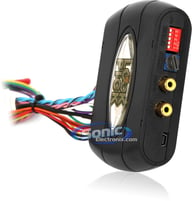
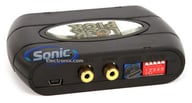
Gain Access to Locked Navigation Menus and Video while Vehicle is In Motion on select 2011-2015 Chrysler, Dodge, & Jeep 8.4" Factory Radios
• Lockpick Override Kit For OEM Equipped Navigation Systems
• Compatible With 2011-13 Chrysler, Dodge, & Jeep
• With 8.4" Radio Screen Systems
• Fully Enables Blocked Functions Of Nav System
Get bigger discounts with our bundled Savings:
View All Deals!
• Lockpick Override Kit For OEM Equipped Navigation Systems
• Compatible With 2011-13 Chrysler, Dodge, & Jeep
• With 8.4" Radio Screen Systems
• Fully Enables Blocked Functions Of Nav System
NAV-TV RAM RAM MULTI-CAM Camera Integration and Video Bypass (NTV-KIT586)
Add up to 5 Camera Inputs + 1 A/V Input with Video while Vehicle is In Motion on select 2013-2016 RAM Factory Radios with RA4/RA3 8.4" uConnect Media Screen
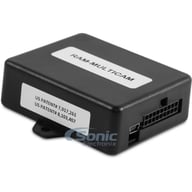
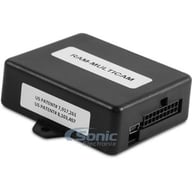
Add up to 5 Camera Inputs + 1 A/V Input with Video while Vehicle is In Motion on select 2013-2016 RAM Factory Radios with RA4/RA3 8.4" uConnect Media Screen
• Video OEM Integration Kit
• Interfaces up to 5 cameras & 1 Auxiliary A/V source
• For 2013-Up Dodge Ram vehicles with OEM RA4/RA3 8.4” uConnect media screen
• Video inputs: 6 composite
• Automatic Rear View Camera Integration
• Cameras enabled in motion
• Video OEM Integration Kit
• Interfaces up to 5 cameras & 1 Auxiliary A/V source
• For 2013-Up Dodge Ram vehicles with OEM RA4/RA3 8.4” uConnect media screen
• Video inputs: 6 composite
• Automatic Rear View Camera Integration
• Cameras enabled in motion
LockPick MYTOUCH2 Freedom In Motion (MYTOUCH2FIM)
Freedom In Motion MYTOUCH2 Lockpick for Ford & Lincoln Systems
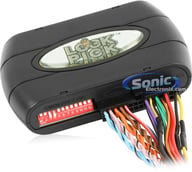
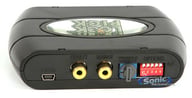
Freedom In Motion MYTOUCH2 Lockpick for Ford & Lincoln Systems
• MYTOUCH2 Lockpick
• For Standard Hard Drive Sync Radios
• Enable All Blocked Video Functions
• Plug and Play
• MYTOUCH2 Lockpick
• For Standard Hard Drive Sync Radios
• Enable All Blocked Video Functions
• Plug and Play
LockPick Ford and Lincoln Navigation and Video Bypass (MYTOUCHPRO)
Gain Access to Locked Navigation Menus and Video while Vehicle is In Motion on select 2011-2015 Ford and Lincoln MyTouch Factory Radios
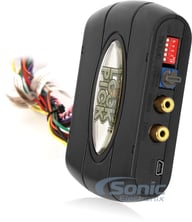
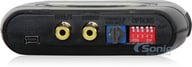
Gain Access to Locked Navigation Menus and Video while Vehicle is In Motion on select 2011-2015 Ford and Lincoln MyTouch Factory Radios
• MYTOUCHPRO Lockpick
• For Standard Hard Drive Sync Radios
• Enable All Blocked Video Functions
• Plug and Play
• MYTOUCHPRO Lockpick
• For Standard Hard Drive Sync Radios
• Enable All Blocked Video Functions
• Plug and Play
LockPick SYNC-LP1
Override Kit for all Hard Drive Equipped Navigation Systems for Select 2009-2010 Ford, Lincoln and Mercury Vehicles
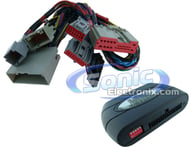
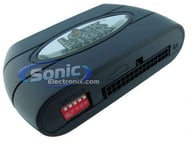
Override Kit for all Hard Drive Equipped Navigation Systems for Select 2009-2010 Ford, Lincoln and Mercury Vehicles
Lockpick Override Kit for all Hard Drive Equipped Navigation Systems • View DVDs with the Vehicle Moving • Navigation Address Input with Vehicle in Motion • Fully Programmed • Plug-N-Play Design
Shop similar products or Update vehicle
Lockpick Override Kit for all Hard Drive Equipped Navigation Systems • View DVDs with the Vehicle Moving • Navigation Address Input with Vehicle in Motion • Fully Programmed • Plug-N-Play Design
LockPick MYGIG (V 5.0) Freedom In Motion- OPEN BOX
The Ultimate Navigation/Video Override Kit for Select Chrysler, Dodge and Jeep MYGIG Factory Radios
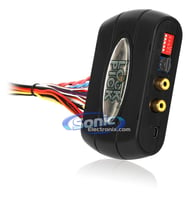
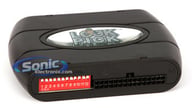
The Ultimate Navigation/Video Override Kit for Select Chrysler, Dodge and Jeep MYGIG Factory Radios
• Lockpick Complete Multimedia Override Interface
• Compatible with Select Chrysler, Dodge and Jeep Vehicles
• Unlocks Navigation Input While Driving
• View Cameras • Unlocks Auxiliary Inputs
• Fast and Easy Installation
• Version 4.0
• Lockpick Complete Multimedia Override Interface
• Compatible with Select Chrysler, Dodge and Jeep Vehicles
• Unlocks Navigation Input While Driving
• View Cameras • Unlocks Auxiliary Inputs
• Fast and Easy Installation
• Version 4.0


