See all parts that fit your 1975 210
In-Dash 7" Touchscreen LCD CD/DVD/MP3 Car Stereo Receiver w/ Navigation, Bluetooth & HD Radio


Double DIN In-Dash CD/MP3/WMA GPS Navigation Receiver • 7" LCD Touchscreen Display • 50W x 4 Chan. MAX • 20W x 4 Chan. RMS • 3 Sets of 2.5V Preamp Outputs • 13-Band Parametric Equalizer • 24bit Digital Analog Converter • A2DP Bluetooth • HD Radio • GPS Navigation
Learn more about the kwnt800hdt

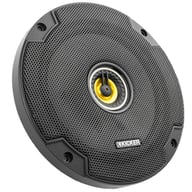
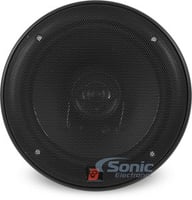
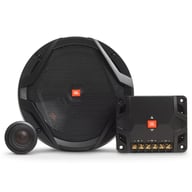
600W Peak (200W RMS) 6.5” CS Series 2 Way Coaxial 4-ohm Speakers
$79.96
List price $119.99

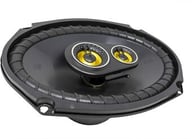
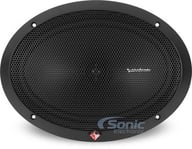
900W Peak (300W RMS) 6x9” CS Series 3 Way Coaxial 4-ohm Speakers with Integrated Midrange Speakers
$111.96
List price $159.99

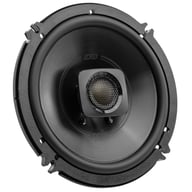
360W Peak (120W RMS) 6.5" Club Series 2-way Coaxial 3-ohm Speakers
$99.95
List price $139.95

600W Peak (200W RMS) 6.5" DB+ Series 2 Way Coaxial 4-ohm Car, Marine and Powersports Speakers
$109.00
List price $119.99

480W Peak (120W RMS) 6.5” DS Series 2-way 4-ohm Coaxial Car Speakers (DSC6504)
$84.99
List price $94.99

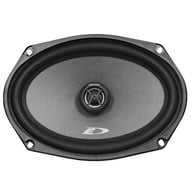
280W Peak (90W RMS) 6x9” SXE Series 2-way 4-ohm Coaxial Speakers
$56.99
List price $71.99

600W Peak (70W RMS) 6.5" XED Series 2-Way Coaxial 4-ohm Speakers
$49.99
List price $59.99
Double DIN In-Dash CD/MP3/WMA GPS Navigation Receiver • 7" LCD Touchscreen Display • 50W x 4 Chan. MAX • 20W x 4 Chan. RMS • 3 Sets of 2.5V Preamp Outputs • 13-Band Parametric Equalizer • 24bit Digital Analog Converter • A2DP Bluetooth • HD Radio • GPS Navigation
 |
 |
 |
 |
 |
 |
 |
 |
 |
 |
 |
 |
 |
 |

|
(newest, current model)
|

|
(previous model, replaced by JVC KW-NT810HDT)
|
Best selling similar products
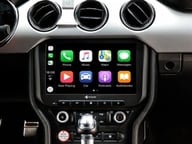
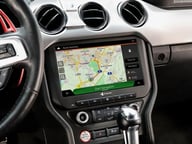
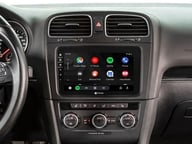
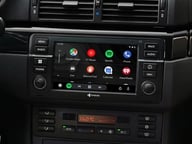
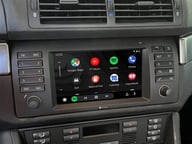
• Replaces the 4" factory screen with a 10" touchscreen
• Custom Fit In-Dash Bluetooth Digital Multimedia Receiver
• 10.1" Capacitive Touchscreen Display
• Apple CarPlay and Android Auto Compatible
• Built-in Navigation
• 3 sets of 3 volts preamp outputs
• 16-Band Parametric Equalizer
• SiriusXM Satellite Radio Ready
• Integrated CANBUS for steering wheel controls
(2)
$899.99
List price $899.99
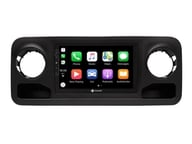
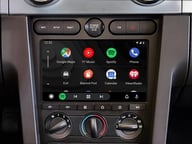
• Custom Fit In-Dash Bluetooth Digital Multimedia Receiver
• 10.1" Capacitive Touchscreen Display
• Apple CarPlay and Android Auto Compatible
• Built-in Navigation
• 3 sets of 3 volts preamp outputs
• 16-Band Parametric Equalizer
• SiriusXM Satellite Radio Ready
• Integrated CANBUS for steering wheel controls
(1)
$769.99
List price $699.99
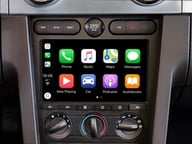
• Custom Fit In-Dash Bluetooth Digital Multimedia Receiver
• 9" Capacitive Touchscreen Display
• Apple CarPlay and Android Auto Compatible
• Built-in Navigation
• 3 sets of 3 volts preamp outputs
• 16-Band Equalizer
• SiriusXM Satellite Radio Ready
• Integrated CANBUS for steering wheel controls
$799.99
List price $799.99
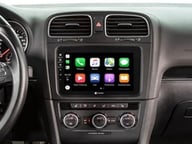
• Custom Fit In-Dash Bluetooth Digital Multimedia Receiver
• 8" Capacitive Touchscreen Display
• Apple CarPlay and Android Auto Compatible
• Built-in Navigation
• 3 sets of 3 volts preamp outputs
• 16-Band Parametric Equalizer
• SiriusXM Satellite Radio Ready
• Integrated CANBUS for steering wheel controls
$799.99
List price $799.99
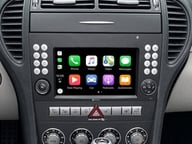
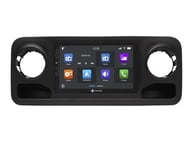
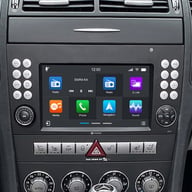
• Custom Fit Bluetooth Digital Multimedia Receiver
• Compatible with select 2004-2010 vehicles from Mercedes-Benz
• 7" Capacitive Touchscreen Display
• Wireless Apple CarPlay and Android Auto Compatible
• Built-in Navigation via Dynaway
• 3 sets of 3 volts preamp outputs
• 16-Band Equalizer
$935.99
List price $799.99
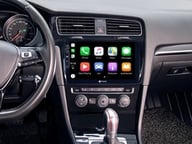
• Custom Fit In-Dash Bluetooth Digital Multimedia Receiver
• 10.1" Capacitive Touchscreen Display
• Apple CarPlay and Android Auto Compatible
• Built-in Navigation
• 3 sets of 3 volts preamp outputs
• 16-Band
• SiriusXM Satellite Radio Ready
• Integrated CANBUS for steering wheel controls
$799.99
List price $799.99
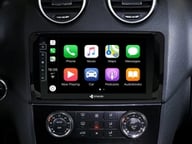
• Compatible with vehicles with standard audio system
• Custom Fit In-Dash Bluetooth Digital Multimedia Receiver
• 9" Capacitive Touchscreen Display
• Apple CarPlay and Android Auto Compatible
• Built-in Navigation
• 3 sets of 3 volts preamp outputs
• 16-Band Parametric Equalizer
• SiriusXM Satellite Radio Ready
• Integrated CANBUS for steering wheel controls
$799.99
List price $799.99
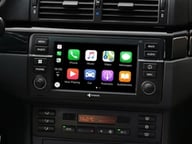
• Compatible with Business CD units
• Custom Fit In-Dash Bluetooth Digital Multimedia Receiver
• 7" Capacitive Touchscreen Display
• Apple CarPlay and Android Auto Compatible
• Built-in Navigation
• 3 sets of 3 volts preamp outputs
• 16-Band Parametric EQ
• SiriusXM Satellite Radio Ready
• Integrated CANBUS for steering wheel controls
$799.99
List price $799.99
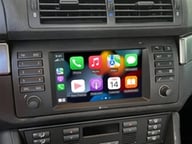
• Compatible with factory non-OEM Single-DIN stereos with Business CD/Cassette panels
• Custom Fit In-Dash Bluetooth Digital Multimedia Receiver
• 7" Capacitive Touchscreen Display
• Apple CarPlay and Android Auto Compatible
• Built-in Navigation
• 3 sets of 3 volts preamp outputs
• 16-Band Parametric Equalizer
• SiriusXM Satellite Radio Ready
• Integrated CANBUS for steering wheel controls
$799.99
List price $799.99
Manufacturer:
Model Number:
KW-NT800HDT
Weight:
9.60lbs
Internal SKU:
kwnt800hdt
Internal Product ID:
45842

| 5 star |
|
25% |
| 4 star |
|
0% |
| 3 star |
|
50% |
| 2 star |
|
25% |
| 1 star |
|
0% |
| Durability | ||
| Value | ||
| Features | ||
| Design | ||
| Usability |
KW-NT800HDT - Looks pretty, lacks function.
Upgraded from the KW-NX7000. Updated the firmware to the latest from JVC. Does not utilize any of the features of the SXV200, speed limit display is random at best and is flaky. Complains non-stop until you connect the speedometer pulse and afterwards the speed warning is as stable as a fart in a frying pan. Does not show your current speed. Cannot change the background so hope you are happy with the color Blue. You can however make the button backlighting any color you can imagine if that matters. Definitely geared towards audiophiles and lacks in the GPS features and functionality. Hopefully JVC will get new firmware out that makes this a navigation unit.
9 found this helpful
Love it
This thing is great with new update gps is good sound quality is off the charts
7 found this helpful
Audio excellent, navigation not great
Bought unit four months ago. Audio features are great, but they should have left navigation to Garmin like their sister company, Kenwood. Installed latest firmware and formerly working speed alerts no longer work. Called customer support and they told me it was the mapping company's fault.
6 found this helpful
JVC fail...
I had the KW-NT3HDT prior.. Anyway... in my last unit speed limit display/chime was perfect.. this one I have seen the speed display once on the highway and never again, and it has yet to chime with it set for 5 over.. which I always do. All cables are hooked up currently but that wont last long because this radio becomes USELESS once you are moving without the parking brake bypass. You cant even see the artist name or album.. only the song name. Have an ipod hooked up? - you can only go back and forth on tracks while moving and not change artist/playlist as the nav button greys out.
Sound quality is excellent.. a huge difference from my last JVC unit for adjust ability and bass response.
Other things that make me mad that they took out the ability to change wallpaper so you are stuck with blueish green menus. hope that matches your car! Even most of their 2011 Headunits have this feature! This thing sticks out pretty far which looks ugly because it has to be able to move the screen to insert SD/DVDs.
It does SD card playback flawlessly so far.. FLAC audio works fine. cant tell the difference on my stock speakers though.
It takes a lot longer to get a GPS signal from my previous JVC HU, even considering the antenna is in the exact same place.
I have had a couple instances where the caller couldnt hear a word out of my mouth and had to call back. again never happened on the old HU.
JVCs website states that their new remote control app works with all their 2012 headunits. nope... not this one this 2012 unit doesnt have the special bluetooth feature.
I have had the navigation freeze 2x in 2 weeks so far.. had to turn car off/on to fix.. never happened in last HU either..
This thing is buggy at best.. it plays music well and with a parking break bypass its a "good" unit.. but not great due to the other flaws they need to work work out.
Steering wheel controls for mute dim the music - they do not mute. Steering wheel controls for power do not turn the unit off it mutes (read: dims music) the unit.
Menus are NOT intuitive - go ahead and try to set the home shortcut to your address without the manual.. good luck. I could have kept all the menu features and done a much better job organizing them if I was designing this.
I think I liked my old unit better.. the GPS was more reliable, the menus were not cluttered all over the place and it wasn't in baby mode while the car was in motion.
7 found this helpful

Five Piece Installer's Panel Removal Tool Kit
Helps with removing dash and trim panels during car stereo installation.
(73)
$11.99
List price $18.99

18 Butt Connectors, 2 Ring Terminals, and Zip Ties
Great for connecting your car stereo wires to the harness.
(27)
$9.95
List price $9.95
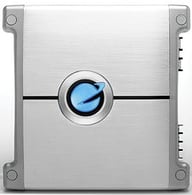
800W 4 Channel Torque Series Class A/B Car Amplifier
(3)
$64.99
List price $126.00
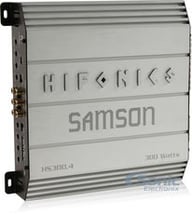
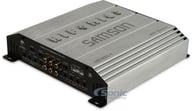
600W Peak (300W RMS) Samson Series 4-Channel 2-Ohm Stable Amplifier
$169.99
List price $299.99
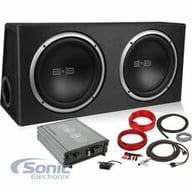
Belva BPKG212V2 (Open Box, Complete)
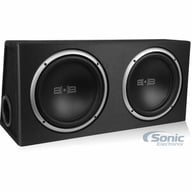
1200 Watt Complete Bass Package with Two 12" Subs in Ported Box, Monoblock Amplifier and Amp Kit (BPKG212 v2)
$135.95
List price $399.99
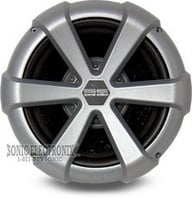
12" Dual 4 ohms Special Edition Natural Sound Series Subwoofer with Grill Included (AW-1251SE)
(4)
$44.99
List price $129.99
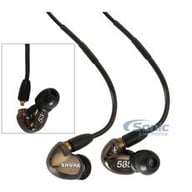
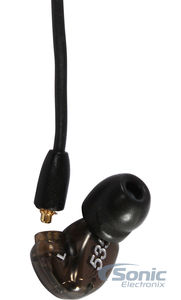
Triple Driver In-ear Headphone with Detachable Cable
(1)
$429.00
List price $549.99
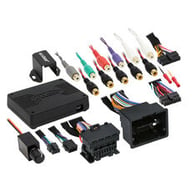
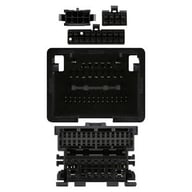
Digital Signal Processor Interface with Pre-Wired Harness for select 2008-2017 vehicles from GMC, Chevrolet, Cadillac
$533.99
List price $593.99
Cancel


Modern vehicles often require specific brackets, wiring harnesses, and mounting solutions. A fit guide ensures:
Whether you're replacing a factory stereo or upgrading your entire audio system, the Fit Finder eliminates uncertainty.