See all parts that fit your 2005 Dakota
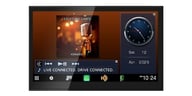
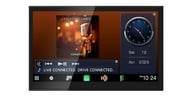
Double-DIN In-Dash Navigation AV Car Stereo with 7” WVGA Capacitive Touchscreen Display with Android Auto and Apple Carplay and Backup Camera


 Product highlights
• 50W x 4 Chan. MAX • 17W x 4 Chan. RMS
• SiriusXM Tuner Included
• 3 Sets of 4V Preamp Outputs
• 13-band graphic equalizer
• Built-in HD Radio
• Android Auto and Apple Carplay
• MirrorLink Compatible
• SiriusXM Radio Ready
• Pioneer MixTrax Technology
• HERE map database

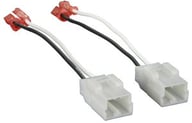
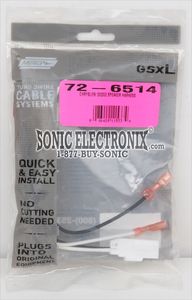
Install New Speakers in select 1999-2026 vehicles from Dodge, Ram, Jeep
$9.99
List price $15.99

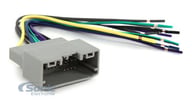
Connect Factory Antenna to New Aftermarket Radio in select 2002-2020 vehicles from Ford, Chevrolet, GMC
$3.99
List price $14.99
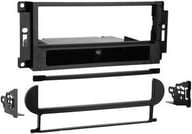
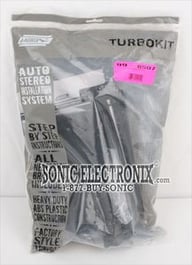
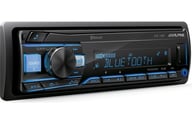
Install a new Single-DIN or Double-DIN car stereo in select 2004-2010 vehicles from Dodge, Chrysler, Jeep (Matte Black)
$23.99
List price $26.99

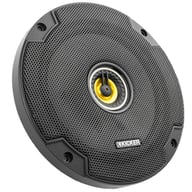
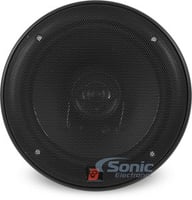
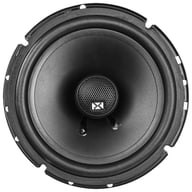
600W Peak (200W RMS) 6.5” CS Series 2 Way Coaxial 4-ohm Speakers
$79.96
List price $119.99

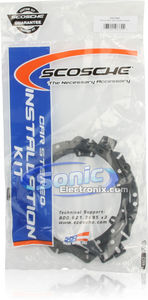
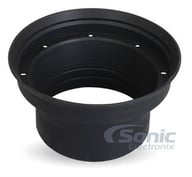
Universal 6.5" Waterproof Silicone Rubber Speaker Baffle Ring Kit (Pack of 2)
$21.99
List price $34.99

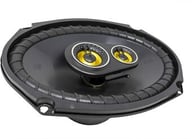
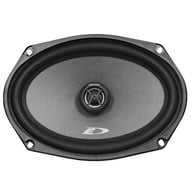
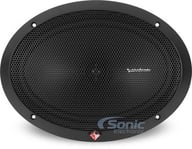
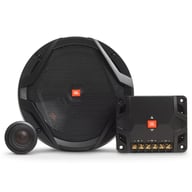
900W Peak (300W RMS) 6x9” CS Series 3 Way Coaxial 4-ohm Speakers with Integrated Midrange Speakers
$111.96
List price $159.99

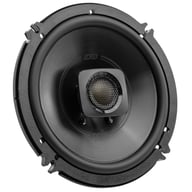
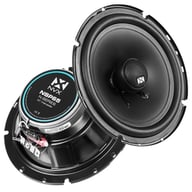
600W Peak (70W RMS) 6.5" XED Series 2-Way Coaxial 4-ohm Speakers
$49.99
List price $59.99

This stereo features Apple CarPlay - a smarter, safer way to use your iPhone in the car. CarPlay takes the things you want to do with your iPhone while driving and puts them right on your head unit's display. You can get directions, make and receive calls and messages, and listen to music. Just plug in your iPhone and go! You can learn all about Apple Carplay on the Sonic Electronix blog here.

Android Auto brings the Android operating system into your car in a way like never before. Android Auto takes your favorite apps from your Android phone and displays them on your head unit's display. Get directions from Google Maps, stream your favorite music make and receive calls and messages without having to take your hands off the wheel! You can learn more about Android Auto on the Sonic Electronix blog here.
 |
 |
 |
 |
 |
 |
 |
 |
 |
 |
 |
 |

|
(newest, current model)
|

|
(previous model, replaced by Pioneer AVIC-8201NEX + SiriusXM Tuner)
|

|
(previous model, replaced by Pioneer AVIC-8200NEX)
|

|
(previous model, replaced by Pioneer AVIC-8100NEX)
|
600W Peak (200W RMS) 6.5” CS Series 2 Way Coaxial 4-ohm Speakers
$79.96
List price $119.99
900W Peak (300W RMS) 6x9” CS Series 3 Way Coaxial 4-ohm Speakers with Integrated Midrange Speakers
$111.96
List price $159.99

360W Peak (120W RMS) 6.5" Club Series 2-way Coaxial 3-ohm Speakers
$99.95
List price $139.95

600W Peak (200W RMS) 6.5" DB+ Series 2 Way Coaxial 4-ohm Car, Marine and Powersports Speakers
$109.00
List price $119.99

480W Peak (120W RMS) 6.5” DS Series 2-way 4-ohm Coaxial Car Speakers (DSC6504)
$84.99
List price $94.99

280W Peak (90W RMS) 6x9” SXE Series 2-way 4-ohm Coaxial Speakers
$56.99
List price $71.99
600W Peak (70W RMS) 6.5" XED Series 2-Way Coaxial 4-ohm Speakers
$49.99
List price $59.99
Best selling similar products

Kenwood eXcelon DAX800XR Direct Fit Digital Receiver Package
• Direct OEM Replacement Bluetooth Digital Multimedia Receiver for
• 8" Capacitive Touchscreen Display
• Wireless Apple CarPlay and Android Auto Compatible
• 3 sets of 5 volts preamp outputs
• 13-Band Graphic EQ
• SiriusXM Satellite Radio Ready
• iDatalink Maestro Compatible
• Built-in Bluetooth, HD Radio, and Wi-Fi
• 4 Camera Inputs Function
(40)
$1383.97
List price $2029.97

JVC KW-Z1000AW Direct-Fit Digital Receiver Package
• Bluetooth Digital Multimedia Receiver for select Ford vehicles
• 10.1" Capacitive Touchscreen Display
• Wireless Apple CarPlay and Android Auto Compatible
• 3 sets of 4 volts preamp outputs
• 13-Band Graphic EQ
• SiriusXM Satellite Radio Ready
• iDatalink Maestro Compatible
• Built-in Bluetooth, HD Radio, and Wi-Fi
• 4 Camera Inputs Function
(38)
$1883.96
List price $2282.96
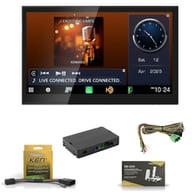
Kenwood eXcelon DAX800XR Direct Fit Digital Receiver Package
• Direct OEM Replacement Bluetooth Digital Multimedia Receiver for
• 8" Capacitive Touchscreen Display
• Wireless Apple CarPlay and Android Auto Compatible
• 3 sets of 5 volts preamp outputs
• 13-Band Graphic EQ
• SiriusXM Satellite Radio Ready
• iDatalink Maestro Compatible
• Built-in Bluetooth, HD Radio, and Wi-Fi
• 4 Camera Inputs Function
(39)
$1456.96
List price $2074.96
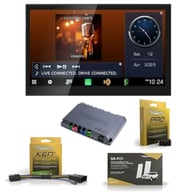
Kenwood eXcelon DAX800XR Direct Fit Digital Receiver Package
• Direct OEM Replacement Bluetooth Digital Multimedia Receiver for
• 8" Capacitive Touchscreen Display
• Wireless Apple CarPlay and Android Auto Compatible
• 3 sets of 5 volts preamp outputs
• 13-Band Graphic EQ
• SiriusXM Satellite Radio Ready
• iDatalink Maestro Compatible
• Built-in Bluetooth, HD Radio, and Wi-Fi
• 4 Camera Inputs Function
(9)
$1473.96
List price $2143.96

Kenwood eXcelon DAX800XR Direct Fit Digital Receiver Package
• Direct OEM Replacement Bluetooth Digital Multimedia Receiver for
• 8" Capacitive Touchscreen Display
• Wireless Apple CarPlay and Android Auto Compatible
• 3 sets of 5 volts preamp outputs
• 13-Band Graphic EQ
• SiriusXM Satellite Radio Ready
• iDatalink Maestro Compatible
• Built-in Bluetooth, HD Radio, and Wi-Fi
• 4 Camera Inputs Function
(39)
$1348.96
List price $1973.96

Kenwood eXcelon DAX1050XR Direct Fit Digital Receiver Package
• Direct OEM Replacement Bluetooth Digital Multimedia Receiver for
• 10.1" Capacitive Touchscreen Display
• Wireless Apple CarPlay and Android Auto Compatible
• 3 sets of 4 volts preamp outputs
• 13-Band Graphic EQ
• SiriusXM Satellite Radio Ready
• iDatalink Maestro Compatible
• Built-in Bluetooth, HD Radio, and Wi-Fi
• 4 Camera Inputs Function
(38)
$1883.97
List price $2479.97

Kenwood eXcelon DAX800XR Direct Fit Digital Receiver Package
• Direct OEM Replacement Bluetooth Digital Multimedia Receiver for
• 8" Capacitive Touchscreen Display
• Wireless Apple CarPlay and Android Auto Compatible
• 3 sets of 5 volts preamp outputs
• 13-Band Graphic EQ
• SiriusXM Satellite Radio Ready
• iDatalink Maestro Compatible
• Built-in Bluetooth, HD Radio, and Wi-Fi
• 4 Camera Inputs Function
(39)
$1605.96
List price $2254.96

Kenwood eXcelon DAX1050XR Direct Fit Digital Receiver Package
• Direct OEM Replacement Bluetooth Digital Multimedia Receiver for select 2011-2023 vehicles from Ford
• 10.1" Capacitive Touchscreen Display
• Wireless Apple CarPlay and Android Auto Compatible
• 3 sets of 4 volts preamp outputs
• 13-Band Graphic EQ
• SiriusXM Satellite Radio Ready
• iDatalink Maestro Compatible
• Built-in Bluetooth, HD Radio, and Wi-Fi
• 4 Camera Inputs Function
(38)
$1913.97
List price $2509.97

JVC KW-Z1000AW Direct Fit Digital Receiver Package
• Direct OEM Replacement Bluetooth Digital Multimedia Receiver for select 2013-2022 vehicles from Ram, Jeep, Dodge
• 10.1" Capacitive Touchscreen Display
• Supports wireless Apple CarPlay and wireless Android Auto
• 3 sets of 4 volts preamp outputs
• 13-Band Graphic EQ
• SiriusXM and iDataLink Ready
(38)
$1883.97
List price $2228.97

Kenwood eXcelon DAX800XR Direct Fit Digital Receiver Package
• Direct OEM Replacement Bluetooth Digital Multimedia Receiver for
• 8" Capacitive Touchscreen Display
• Wireless Apple CarPlay and Android Auto Compatible
• 3 sets of 5 volts preamp outputs
• 13-Band Graphic EQ
• SiriusXM Satellite Radio Ready
• iDatalink Maestro Compatible
• Built-in Bluetooth, HD Radio, and Wi-Fi
• 4 Camera Inputs Function
(40)
$1403.96
List price $2053.96
Manufacturer:
Model Number:
AVIC-8201NEX_SXV300v1
Weight:
5.50lbs
Internal SKU:
avic8201nex_sxv300v1
Internal Product ID:
144085

| 5 star |
|
78% |
| 4 star |
|
11% |
| 3 star |
|
11% |
| 2 star |
|
0% |
| 1 star |
|
0% |
| Durability | ||
| Value | ||
| Features | ||
| Design | ||
| Usability |
So far so good
No complaints about product arrival. Tracking online was easy and accurate. Instructions for installation were clear (I personally installed it). Upon powering it up no issues. Sound is really nice even with stock speakers. Menus are intuitive with almost no need for instructions. So far my issues are Bluetooth connection and navigation. When powering unit on Bluetooth doesn't always connect my music and play where left off. I have to go to Bluetooth settings and disconnect/connect back and then it will play where left off. Using iPhone5. There are no additional settings related to that. Navigation is not as accurate as my TomTom's. No accurate position or direction are displayed once going off marked streets or performing tight manoeuvering. For instance I had to fill up a couple of times and since it involves tight manoeuvering unit did not register what is my correct direction/position and what direction should I take once leaving gas station. For those reasons I can't give it 5 stars. There is still a lot to play with since I have tried only CD, radio and Bluetooth. Looking forward to nicer weather for that.
36 found this helpful
Great looking radio with buggy features
I recently purchased this radio to go in my 2006 Audi A4. Installation wise, it was an exact fit. I was excited about the new features of this radio and some of them are actually great. The capacitive touchscreen is amazing and way better than the older Pioneer unit I used to have. The navigation on this unit is also amazing.
Where this unit falls short is the Iphone compatibility. The radio will not recognize my phone is even connected. I am used the USB connection and it simply does not work.
28 found this helpful
Not so happy with price
i am not so happy with the price I paid it's a little too much on the high side if you know what I mean anyway the 8000 avic nex i choose over the 7000 I like the touch screen it's so responsive and full of features which I may never use but it's definitely a big difference in sound quality plus it's fits in my sti flawlessly no trimming needed with kit everyone thinks its factory I imported the Subaru sti logo in the background at screen with just a simple as card plus the gps is great I have yet to find fault with it
27 found this helpful
Pros outweigh cons
Pros
-Looks great
-helpful navigation features
-sleek design
-quick, responsive touch screen
Cons
-No OFF button (you can turn the display off, but the unit is still on)
-No brightness control (or I have yet to find it)
-Unit disables more features than just video display while moving*
*I understand why the emergency brake must be Applied to watch video. But also disabling navigation settings also does not make sense from me. Having to pull over on the highway so I van put my e-brake on to edit a destination is far from convenient.
23 found this helpful
Great Car Stereo
Wonderful unit with so many great features and a few downsides.
Pros:
1) Wonderful sound quality.
2) Effective 13 band equalizer.
3) Time correction: The sound from all speakers reaches your ears at about the same time. Great!
4) Bright Screen with adjustable angles
5) Versatile connectivity: HDMI, Aux, 2 USB, DVD, SD, 2 video
6) Reliable bluetooth,
7) Apple CarPLay, androidauto,
8) SiriusXM can be added with additional hardware.
9) Apps: Pandora and Aha apps get online music through your phone.
10) Recognizes several File Formats from any source: audio: mp3 & flac. Vid: avi, mp4, m4v. For flash drive, use FAT32 format.
11) Upgradeable Firmware and Maps.
12) Good built-in Navigation with optional extras.
13) You can customize the unit's display, button colors, background image and splash screen.
14) Video can be permitted at all times by using a hidden setting.
Cons:
1) Runs hot. Heat doesn't seem to cause any problems and you can't tell from the front. I'm guessing that will shorten the life of the electronics.
2) Updating maps is like pulling teeth. If you get good instructions from one of these reviews or online, you might be OK. It is not intuitive, it requires Windows or Mac, and is unreliable. Also, expensive after 45 days. $129.99.
3) You should first update your firmware. My new unit was 2 releases behind. This is easier than updating maps.
3) androidauto is very basic and requires a phone with Android 5+ (Lollipop)
4) No ogg music file format, but who does?
5) Inputs connectors are on the back, have lots of extension cables if you want USB, HDMI, AUX, Video, etc.
An overview of updating maps from Windoze (details omitted):
1) Format a flash drive connected to USB2 of your AVIC-8100.
2) Preregister your AVIC-8100 online
3) Download the evil navigation update software from pioneer dot naviextras dot com
4) Run Naviextras on Windoze
5) Plug in your flash drive that you formated in your AVIC-8100
6) Hope the drive is recognized by Naviextras
7) Log in with the user/password you created on naviextras .com. Hope that Naviextras recognizes your log-in.
8) Select map updates. Hope that Naviextras does not simply tell you there are no updates.
9) Hope that Naviextras updates your flash drive with your selected updates.
10) Wait for a long time while the updates are written to you flash drive. Wait some more.
11) Exit Naviextras and shut down Windoze.
12) Connect flash drive into USB 2 of the AVIC-8100.
13) Use the AVIC-8100's Navigation menu to select setup and update maps
14) Wait a long time. Get a bite to eat.
15) Done. Now use your new maps
 Verified purchase
19 found this helpful
Pioneers AVIC-8200 NEX
This is the Best in car radio I ever own, it does everything you could ever want a car radio to do and more!!!!!!
10 found this helpful
Exceptional value, and super awesome unit
Pioneer keeps making great units, love this radio. Makes it so darn easy to switch between HD Radio and Bluetooth and HDMI. I can do all this with ease. So much packed into the 8200 model. Fit perfectly in my Dodge Durango and works great with amp, subwoofers and all speakers I also bought through Sonic Electronics. Best of both worlds sounds and value.
Verified purchase
9 found this helpful
10 stars
The only thing better than the product is the service I got from sonicelectronix
My only complaint is how he'll bent they are on you not watching the DVD player while you're driving. My passenger would like that feature without having to jump through hoops
9 found this helpful
Awesome unit, in love with Android Auto.
These are great units. Do your research though as you may only need one of the cheaper models, like the 5200nex. I love it, best deck I've owned.
Verified purchase
8 found this helpful
the best out there!
The best tech i have bought i a while! cost is kinda up there, but once you talk yourself into buying it, it will be very difficult to find anything like it! You will not be disappointed
Verified purchase
7 found this helpful

Universal Waterproof License Plate Mount Rearview Backup Camera
(39)
$39.99
List price $99.99

Universal Waterproof Rearview Backup Camera with 4 Mounting Options
(13)
$49.99
List price $139.99

Universal Waterproof Rearview Backup Camera with 5 Mounting Options
(12)
$49.99
List price $139.99
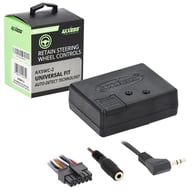
Maintain your Steering Wheel Controls with a Universal Interface
(274)
$79.99
List price $129.99
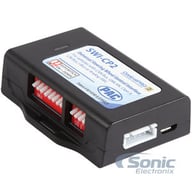
Universal Steering Wheel Control Interface, Works with Nearly All Popular Aftermarket Receivers
(28)
$99.00
List price $149.00

Great Connection Kit for Stereo to Car Wire Harness with Zip Ties and Butt Connectors
(27)
$9.95
List price $9.95

158 Piece Terminal Connector Kit with Crimping Tool Included
(2)
$14.99
List price $29.99

Belva BTK112 Trim Panel Remover
12-Piece Installer's Master Panel Removal Tool Kit
(19)
$8.99
List price $24.99

Belva BTK105 Trim Panel Remover
Five Piece Professional-Grade Installer Panel Removal Tool Kit for Car Stereo/Speakers
(73)
$11.99
List price $18.99

Belva BTK106 Trim Panel Remover
Six Piece Professional-Grade Installer Panel Removal Tool Kit for Car Stereo/Speakers
(46)
$14.99
List price $19.99

Blue Right Angle 1 Meter (3.28 ft) Lightning to USB-A Cable for Apple iPhone
(1)
$3.99
List price $12.99

Black Right Angle 1 Meter (3.28 ft) Lightning to USB-A Cable for Apple iPhone
(2)
$3.99
List price $14.98

3.3ft (1 meter) USB Type A to USB Type C Cable Special Magnetic Cord Management
(4)
$7.99
List price $19.99
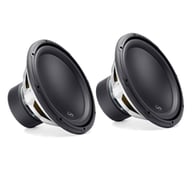
500W RMS 12" W3v3 Series Single 4-ohm Car Subwoofer
(65)
$939.98
List price $939.98
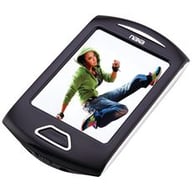
Portable Media Player With 2.8" Touch Screen LCD and 3.1 Megapixel Camera
$39.99
List price $49.99
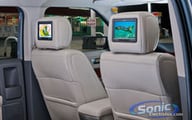
Vizualogic A-1285 (Active Headrest Restraint)
7" Dual DVD Active Headrest Restraint System (Custom Built Headrest)
$1199.99
List price $1899.00
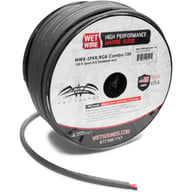
Wet Sounds WWX-SPKR/RGBCOMBO-150
150 ft 12-gauge Marine Speaker Wire and 22-gauge RGB Cable Combo
$429.99
List price $429.99
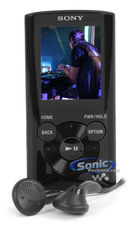
8GB MP3 Player with FM Tuner and 1.77" LCD Screen
(5)
$69.99
List price $99.99
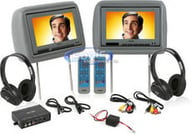
Two Universal Leather Headrests Loaded with 8.8" LCD Monitors, 2 Headphones and 2 Remote Controls
(4)
$189.99
List price $699.99
Two 7" Universal Headrest Monitor with Built-in DVD player, USB input and Aux Input
$219.98
List price $399.98
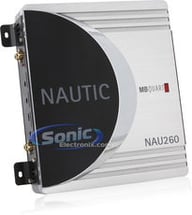
360W Max, Nautic Series 2-Channel Marine Amplifier (NAU 260, NAU-260)
(10)
$54.99
List price $169.99

Boss Audio All Terrain 1000w Bluetooth Speaker & Handlebar Amp System (3 Pack)
Boss Audio All Terrain 1000w Bluetooth Speaker & Handlebar Amp System (3 Pack)
(1)
$839.97
List price $1049.97
Cancel


Modern vehicles often require specific brackets, wiring harnesses, and mounting solutions. A fit guide ensures:
Whether you're replacing a factory stereo or upgrading your entire audio system, the Fit Finder eliminates uncertainty.